
SketchUp Extension · Tool Collection
The SketchUp Tools You Wish Came in the Box
Trim from real moulding profiles, countertop edges, a Push/Pull and Offset that work on curved surfaces, exact sizes without the math, and more. One extension, one toolbar, one subscription that keeps growing.
Free 7-day trial · Included with FOCUSED Pro
What's Inside
Every Tool, One Toolbar
Each tool does one job and does it the way a designer expects. New tools arrive as updates to the same extension.

Profiles + Trim tool
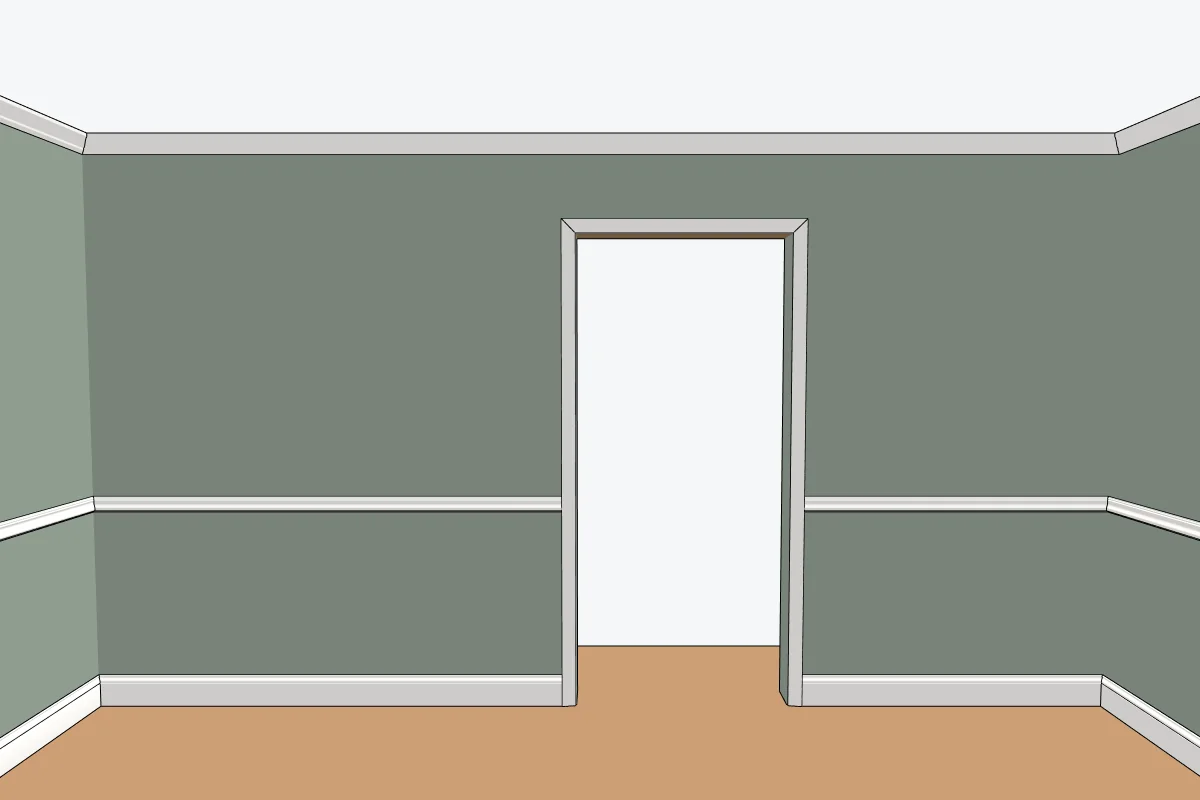
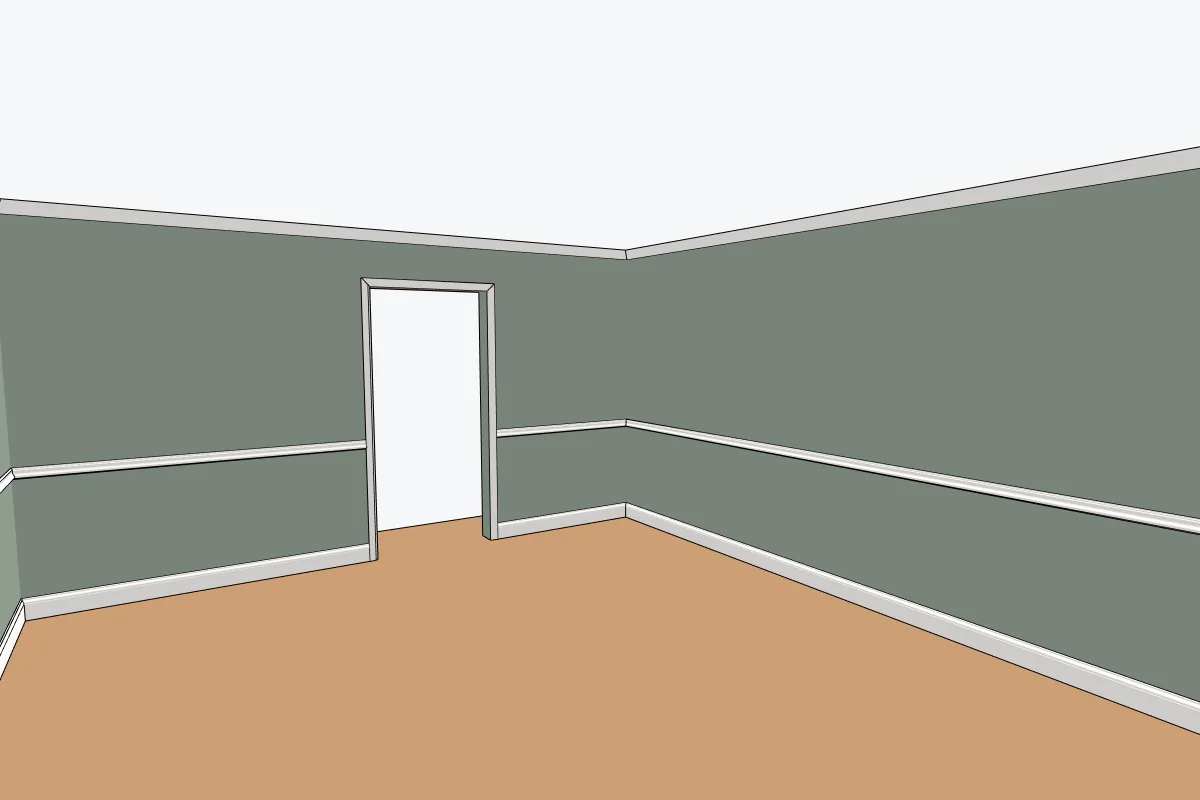
Baseboard, casing, crown and chair rail from 248 real profiles, for a wall, a door or every room.

Bevel
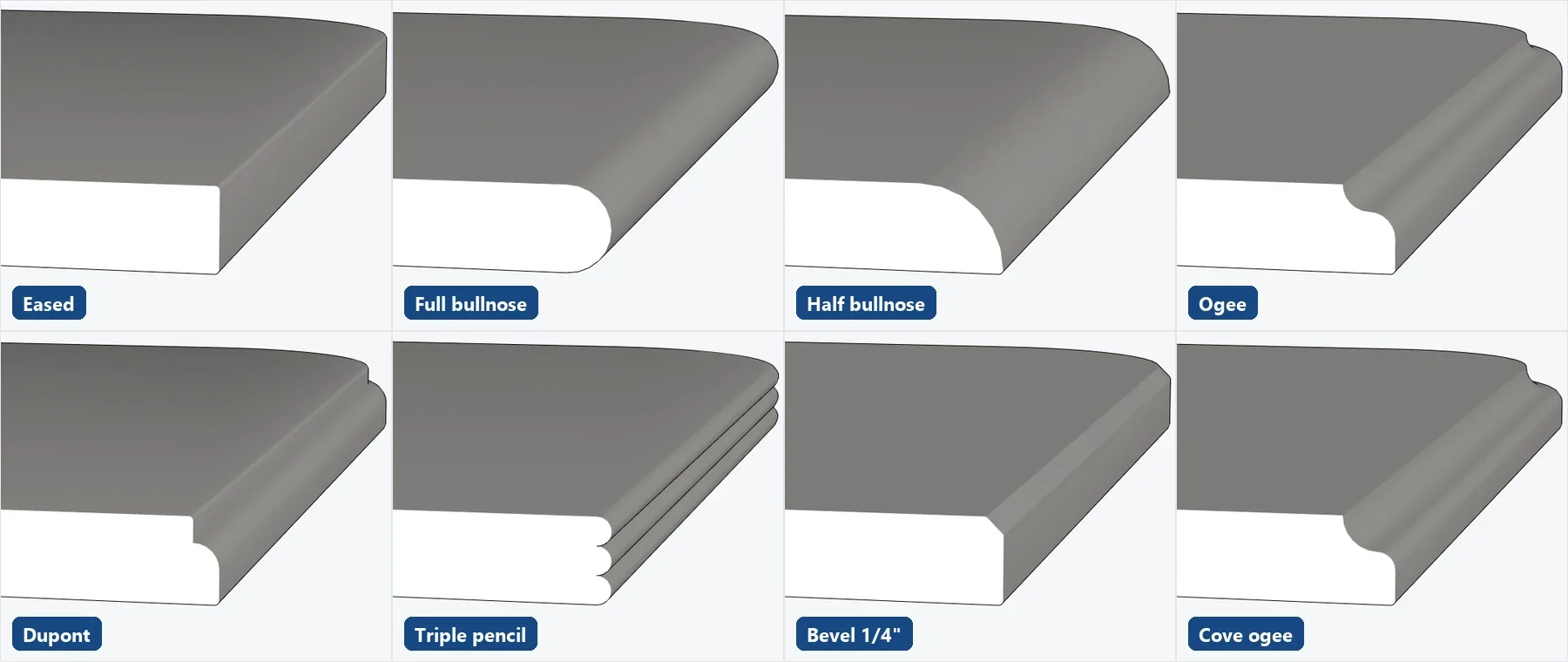
Round or chamfer edges, and 20 countertop edges from eased to Dupont, around curves.

Push/Pull
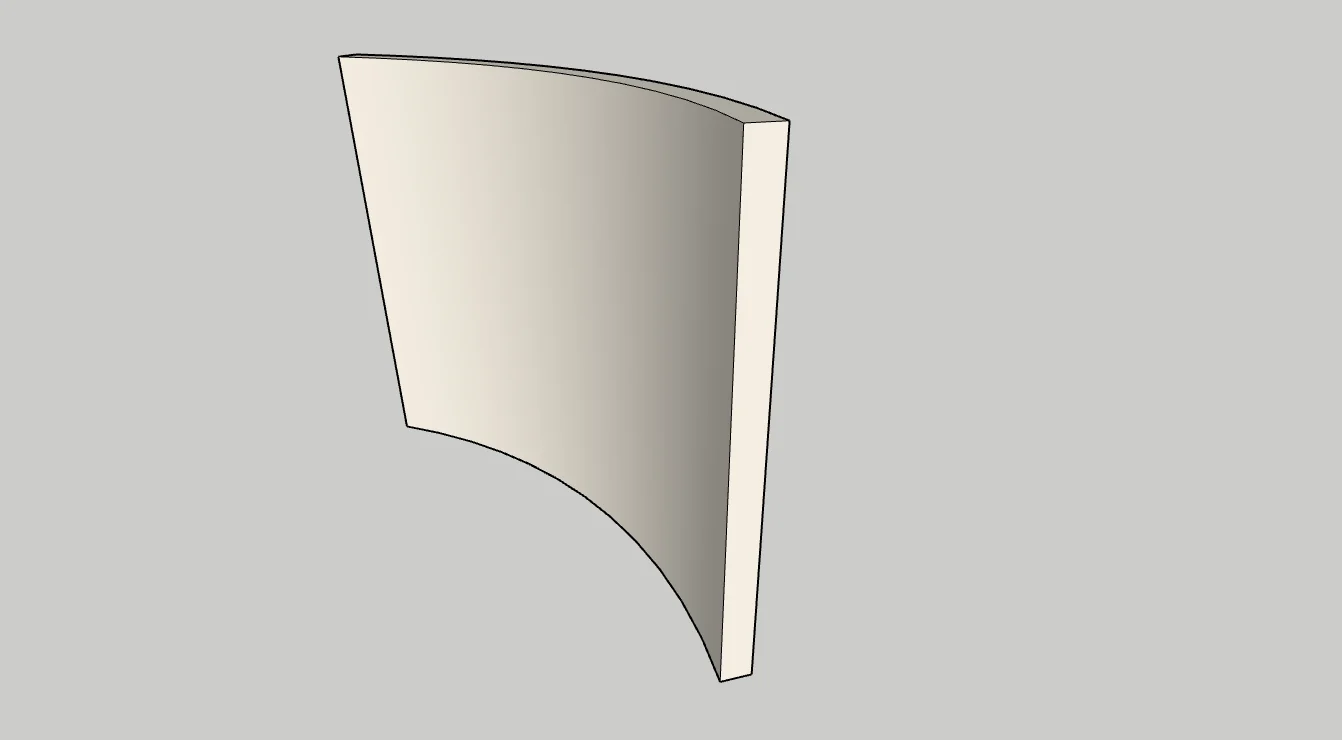
SketchUp's Push/Pull, plus curved surfaces that move as one. Add or remove segments with the arrow keys.

Offset
SketchUp's Offset, plus outlines that run along a curved surface: doors and panels on bow fronts.

Scale to size
Type the length you want (36, 3', 90cm) instead of working out a scale factor.

Stretch
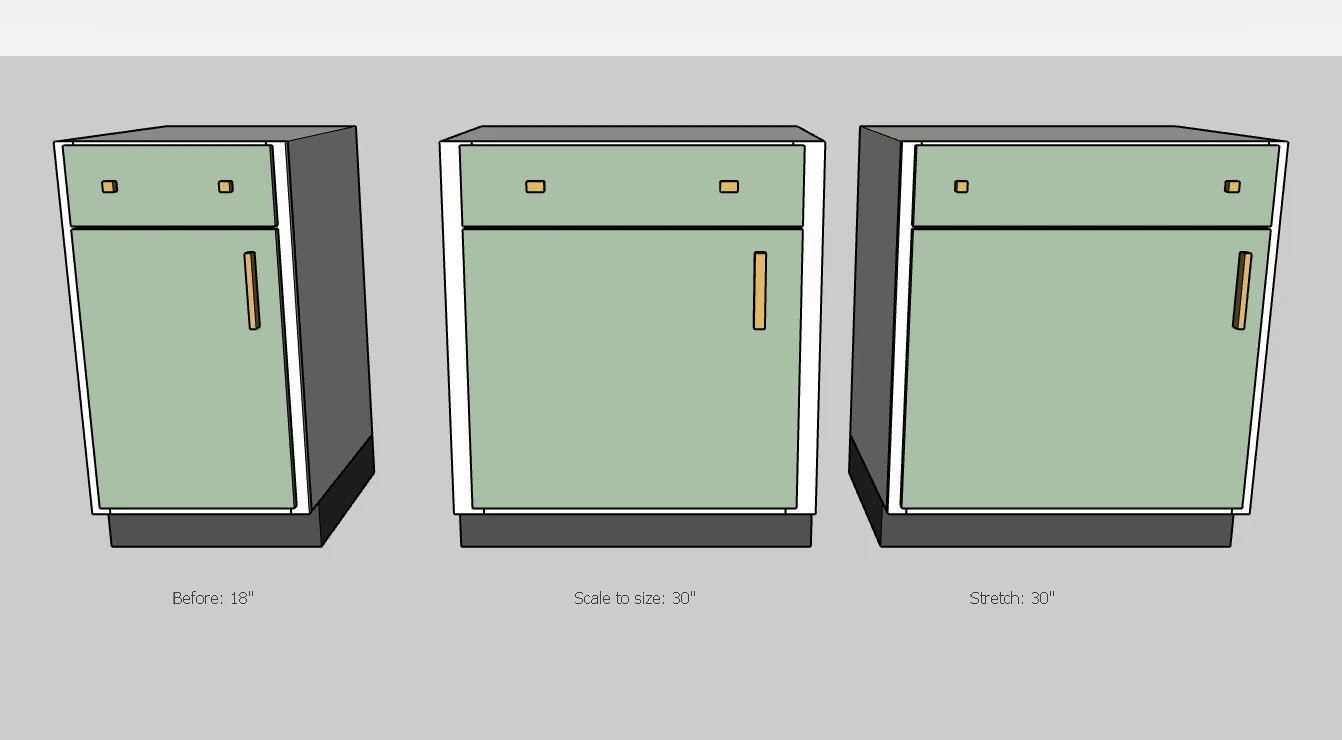
Make a cabinet wider without stretching its doors, handles or trim.

Drop
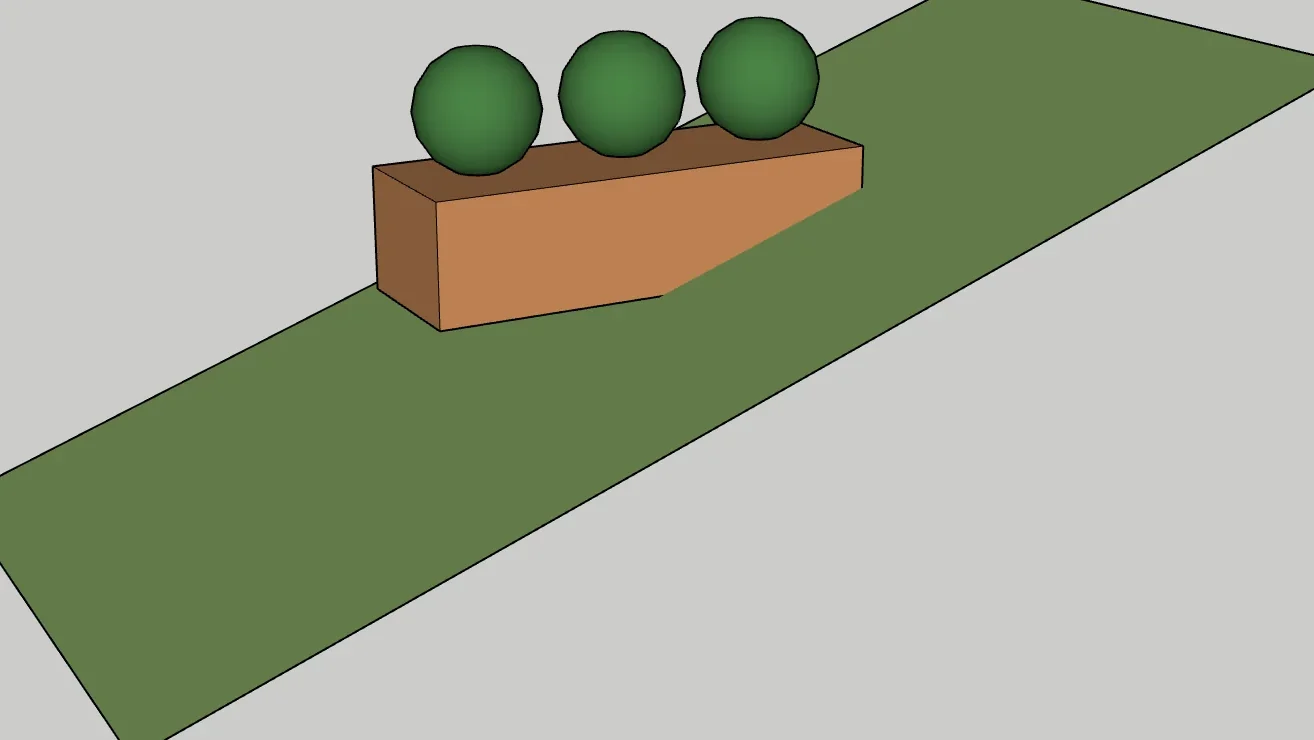
Drop plants and objects onto the terrain or floor below them, each at its own height.

Move
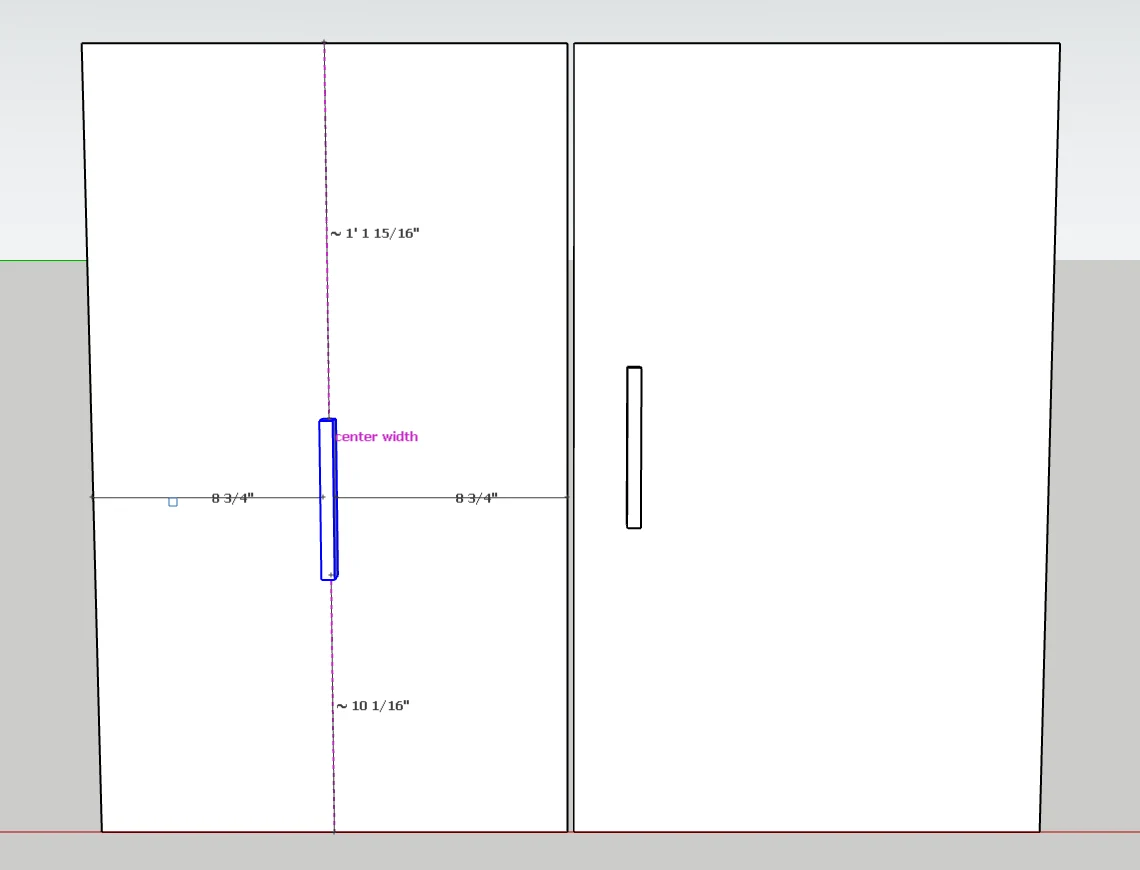
SketchUp's Move, plus handles that slide along a door and snap to its center height and center width.

Curve to Surface
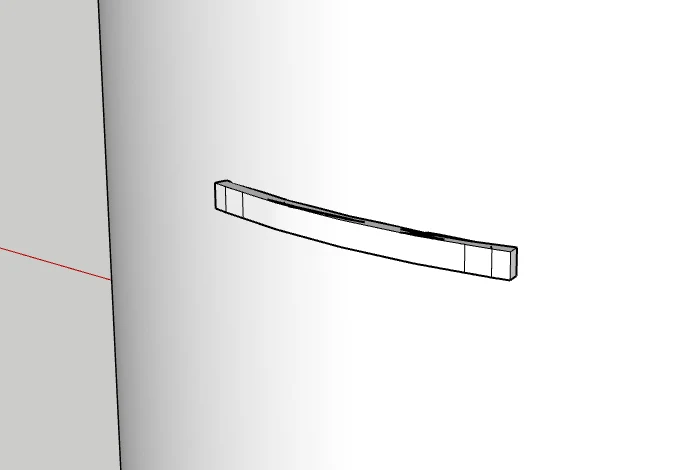
Bend a bar pull, a panel or lettering onto a curved front, then slide it round the curve with Move.

Scene Manager
Scenes in categories, batch edits and exports, and the hand-off to AI Rendering.
FOCUSED Profiles
Trim the Whole House From Real Profiles
Pick the baseboard, casing, crown and chair rail once from 248 Home Depot and TW Perry profiles, and trim one wall, one door, or every room in a single step. No red dot, no flipping profiles, no lining up.
- Mitred at every corner, stopped against the door casing.
- Every room in its own group, every trim type on its own tag.
- A cut list in linear feet per profile.
FOCUSED Bevel
Countertop Edges in One Click
Round or chamfer any edge, or give a countertop a real fabricator's edge: eased, pencil, bullnose, ogee, Dupont, triple pencil and more. Point at the edge and its whole run lights up, around the curves.
Curved Surfaces
Push/Pull and Offset That Understand Curves
SketchUp's Push/Pull moves one facet of a curve at a time. FOCUSED Push/Pull moves the whole curved surface and keeps it joined; Offset draws outlines that run along it. Recessed doors on a bow front take two steps.
Scale to Size & Stretch
Exact Sizes, No Distortion
Type the size you want instead of a scale factor. Or stretch a cabinet from 18" to 30" and only what crosses the cut gets longer: stiles, knobs and pulls keep their size.
FOCUSED Drop
Drop Plants Onto the Terrain
Lay out the planting flat, select it, click Drop. Every plant lands on the ground under it, at its own height, without tilting.
FOCUSED Move & Curve to Surface
Center Hardware, Even on a Curved Front
Pick up a handle with Move and it slides along the door it sits on, snapping to the center height and center width with the distance to every edge shown. On a curved front, Curve to Surface bends the pull onto it first, and Move slides it round the curve.
Why It's Better
One Extension Instead of a Folder of Plugins
The tools in FOCUSED Tools would otherwise be several plugins from several makers, each with its own installer, license and way of working.
| FOCUSED Tools | Separate plugins | |
|---|---|---|
| One install, one update for every tool | ✓ | — |
| One sign-in, one subscription | ✓ | One license each |
| New tools added while you are subscribed | ✓ | — |
| Works like SketchUp: click, move, type a size | ✓ | Varies by plugin |
| Hide the tools you do not use | ✓ | — |
| Free 7-day trial of everything | ✓ | Varies by plugin |
| Included with FOCUSED Pro | ✓ | — |
Explore the Tools
FOCUSED Profiles
Trim and moulding for SketchUp
FOCUSED Bevel
Round edges and countertop edge profiles
Curved Push/Pull and Offset
Push/Pull and Offset on curved surfaces
Scale to Size and Stretch
Exact sizes without the math
FOCUSED Drop
Drop plants and objects onto terrain
FOCUSED Move
Slide hardware along a surface and center it
FOCUSED Curve to Surface
Bend hardware onto a curved surface
FAQ
Questions, Answered
What is FOCUSED Tools?
Do new tools cost extra?
Can I hide the tools I do not use?
Does it work like SketchUp's own tools?
Is the Scene Manager included?
Do any tools use AI?
Download & Pricing
FOCUSED Tools Is Coming Soon
When it opens, download it free, sign in with your FOCUSED account and start a 7-day trial of every tool. FOCUSED Pro members get it included.
- 1 Download FOCUSED Tools and install it in SketchUp.
- 2 Sign in with your free FOCUSED account.
- 3 Start your free 7-day trial from the panel.
Free 7-day trial · No card needed · Included with FOCUSED Pro