
FOCUSED Tools · Edges
Round Edges and Countertop Edge Profiles in SketchUp
Round or chamfer any edge, or give a countertop a real fabricator's edge, in one click and around its curves. Type the size, change it after, and never blow up a model.
Part of FOCUSED Tools · Free 7-day trial
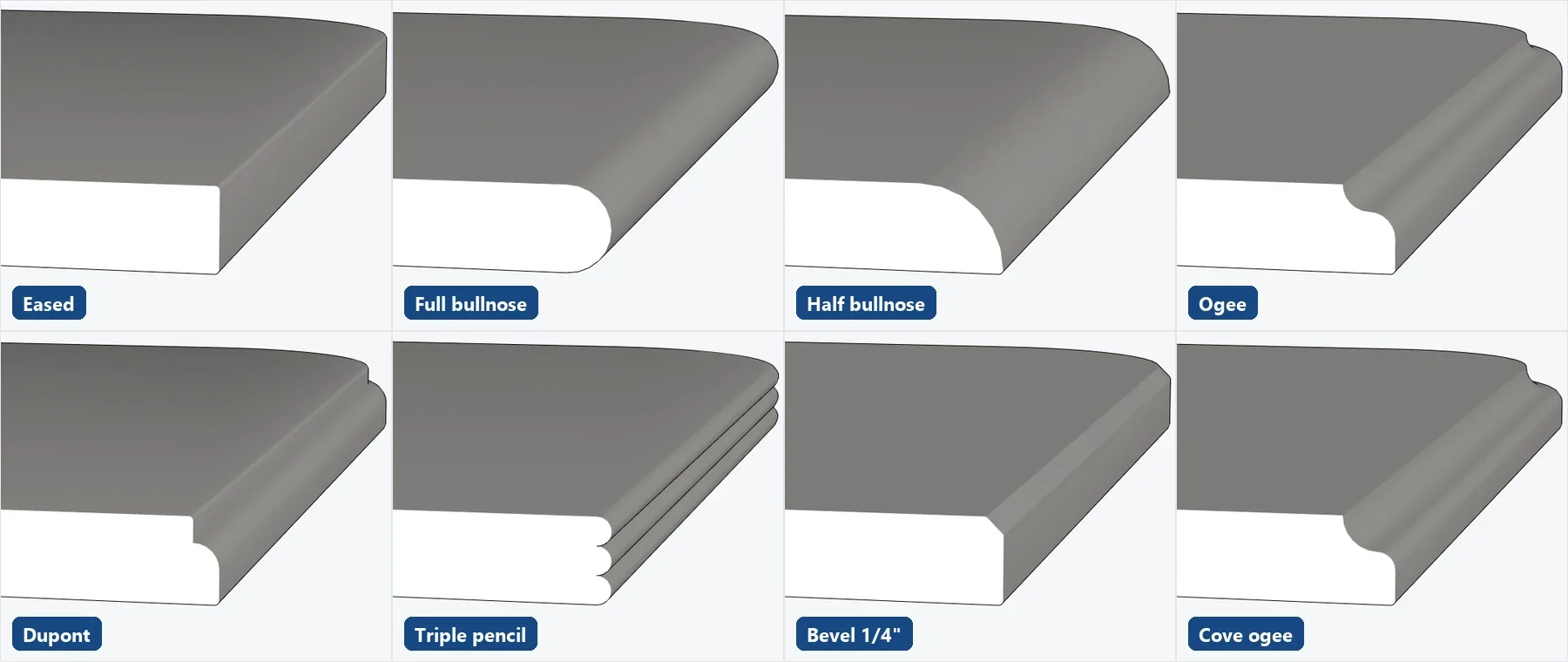
28 Profiles
Every Countertop Edge Your Fabricator Offers
Countertop edges fit the slab thickness by themselves, and the ones that shape the underside bevel the bottom edge too.
20 countertop edges
- Eased
- Pencil
- Quarter round
- 3/8" round
- Demi bullnose
- Half bullnose
- Full bullnose
- Double bullnose
- Triple pencil
- Bevel 1/4"
- Bevel 1/2"
- Double bevel
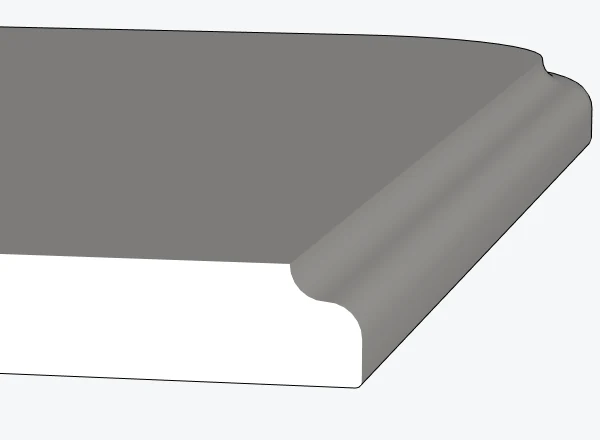
- Ogee
- Roman ogee
- Cove ogee
- Ogee bullnose
- Dupont
- Cove Dupont
- Cove (underside)
- Stairstep
Round, chamfer and router shapes
- Round
- Chamfer
- Cove
- Ogee
- Roman ogee
- Beading
- Thumbnail
- Step
One Click
Point at the Edge, Its Whole Run Lights Up
A countertop's top edge is often dozens of little edges round its curves. Bevel picks the whole run from one point and stops at real corners.
- Ctrl takes just one edge; Shift adds more.
- Point at a face for all its edges, or hold Alt for a whole group or component.
- Preselect edges, start Bevel and type a size: done.
How It Works
Three Steps to a Finished Edge
- 1
Pick a profile
Round, chamfer, a router shape or a countertop edge, from the Bevel profiles window.
- 2
Point at the edge
Its whole run lights up, round the curves. Point at a face for its edges, or hold Alt for a whole group.
- 3
Click or type the size
Move away from the edge and click, or type it: a number is always the size. For a countertop edge, the slab thickness.
Why It's Better
Why Designers Bevel With FOCUSED Bevel
| FOCUSED Bevel | Follow Me by hand | Typical bevel plugins | |
|---|---|---|---|
| 20 countertop edges, fitted to the slab | ✓ | — | Round and chamfer |
| A curved edge picked in one click | ✓ | — | Varies |
| A typed number is always the size | ✓ | ✓ | Varies |
| Change size, segments or shape after the bevel | ✓ | — | Varies |
| Too big a size limited instead of breaking the model | ✓ | — | Varies |
| Keeps paint, texture and tags | ✓ | — | Varies |
FAQ
Questions, Answered
Which countertop edges are included?
Can it round a curved countertop edge?
Can I change the size after the bevel?
What if the size is too big?
Does it keep my materials?
Does it work on groups and components?
Download & Pricing
Coming Soon in FOCUSED Tools
FOCUSED Bevel comes with FOCUSED Tools, together with Profiles, curved Push/Pull and Offset, Scale to size, Stretch, Drop, Move, Curve to Surface and the Scene Manager.
Free 7-day trial · Included with FOCUSED Pro