
FOCUSED Tools · Landscape
Drop Plants and Objects Onto Terrain in SketchUp
Lay the planting out flat, select it and click Drop. Every plant lands on the ground under it, at its own height, in one click.
Part of FOCUSED Tools · Free 7-day trial
One Click
Every Object Finds Its Own Ground
Placing plants straight onto terrain is slow: every one snaps to a different facet. Drop lets you lay them out flat and land them all at once.
- A pot and the plant in it, selected together, land in order: pot on the ground, plant in the pot.
- With nothing selected, click objects one by one.
- Inside a group, it works on what is inside, onto any surface in the model.
- The whole drop is one undo.
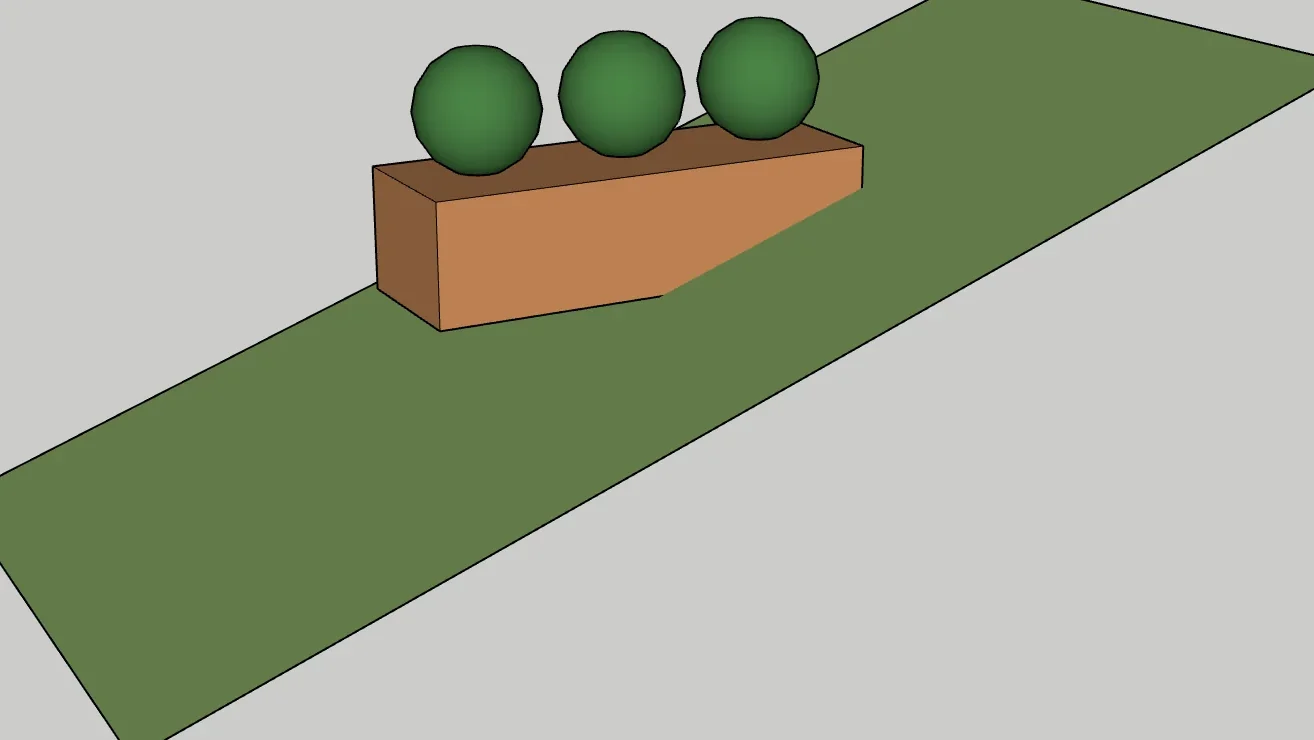
On a Slope
Moved, Never Tilted
The center of the base sits on the ground. For plants that is exactly right: the trunk meets the ground. For a wide planter or bench on a steep slope, level a pad first.
How It Works
Planting a Sloped Site
- 1
Lay it out flat
Place and copy plants on a flat plane above the terrain, where Move and arrays behave.
- 2
Select and drop
Select the plants, or a whole planting, and click Drop. Each lands on the ground under it.
- 3
Drop again anytime
Changed the terrain? Drop again: plants above the ground fall to it, buried ones come up.
FAQ
Questions, Answered
What does Drop do?
Do several plants each find their own height?
What about a slope?
What if a plant is buried in the hill?
Will it land on hidden geometry?
Which versions of SketchUp does FOCUSED Drop work with?
How do I get it?
Download & Pricing
Coming Soon in FOCUSED Tools
Drop comes with FOCUSED Tools, together with Profiles, Bevel, curved Push/Pull and Offset, Scale to size, Stretch, Move, Curve to Surface and the Scene Manager.
Free 7-day trial · Included with FOCUSED Pro