
FOCUSED Tools · Placing
Center Hardware on a Door Without Measuring
SketchUp's Move, with everything it does, plus objects that slide along the surface they sit on and snap to its center. Put a handle in the middle of a cabinet door in one move.
Part of FOCUSED Tools · Free 7-day trial
Smart Guides
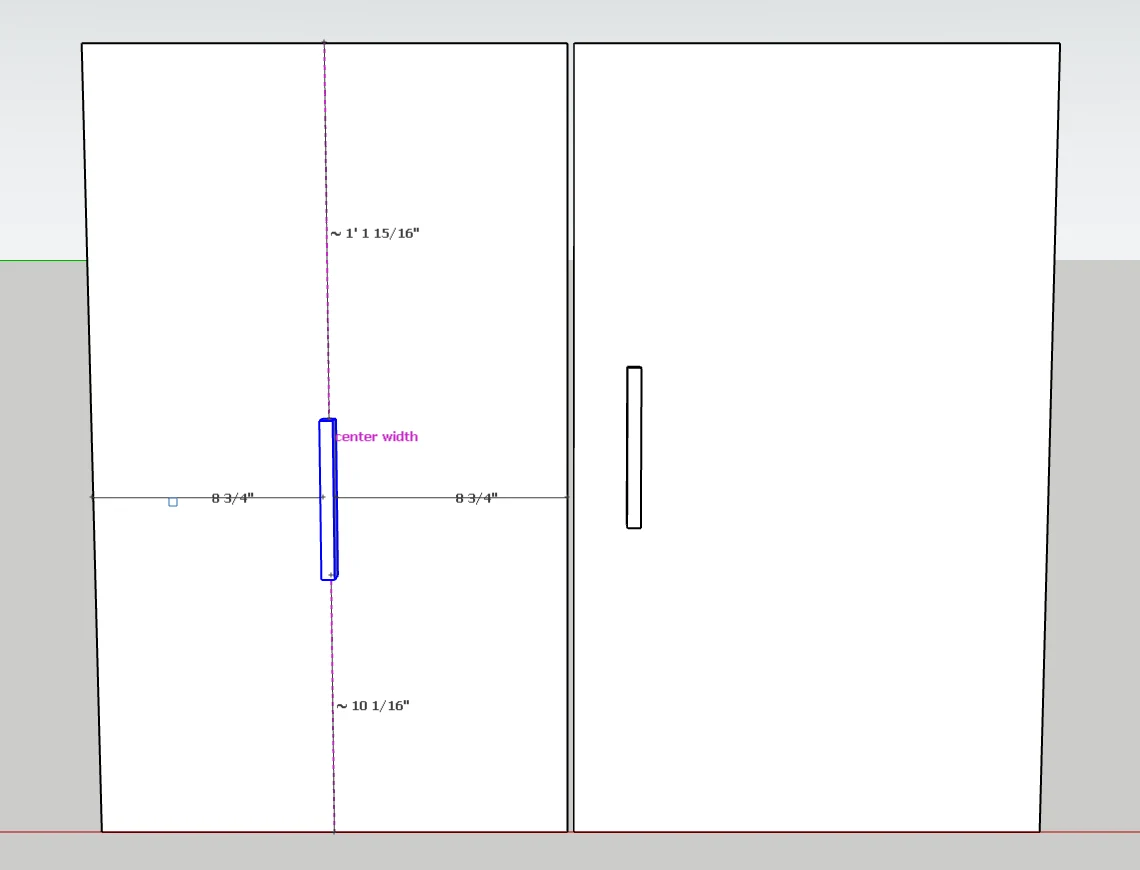
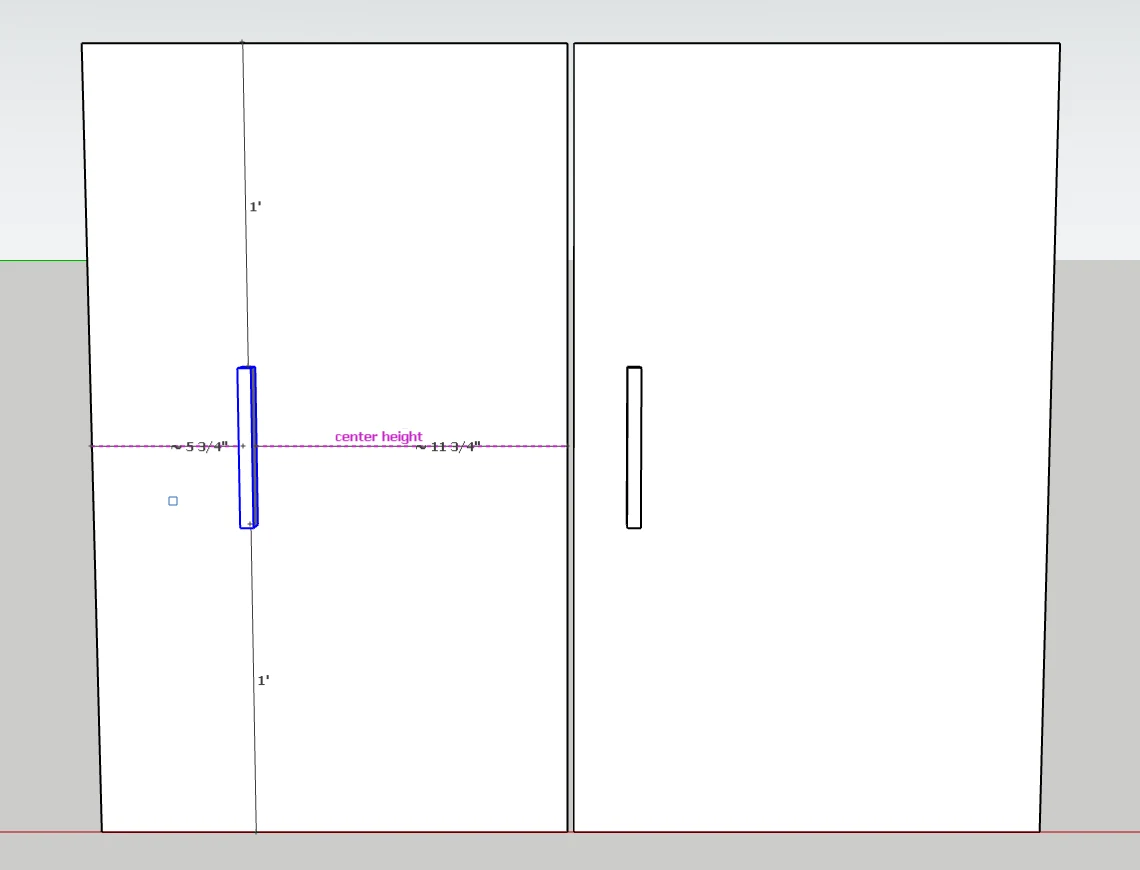
Center Height, Center Width, Every Edge
Pick up a handle on a door and it slides along the door instead of jumping off it. Guides snap it to the middle of the door, up and down or across, and the distance to each edge is shown the whole time.
- center height and center width on any surface.
- flush with the edge when it lines up with an edge.
- lined up with the handles on the doors beside it.
Curved Surfaces
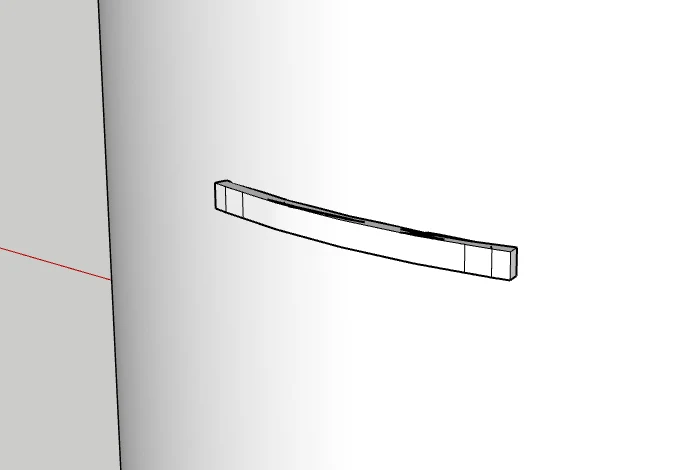
Slides Round a Curve, Too
On a bow front or a round column, the object goes round the curve and stays tangent to it, with the same center guides. Hardware bent with Curve to Surface bends again wherever you slide it.
- Arrays and typed distances run along the surface.
- A free move lines the object's box up with nearby objects.
- Tab turns guides and sliding off for plain SketchUp behavior.
Everything SketchUp's Move Does
Grips, Rotation, Copies and Arrays
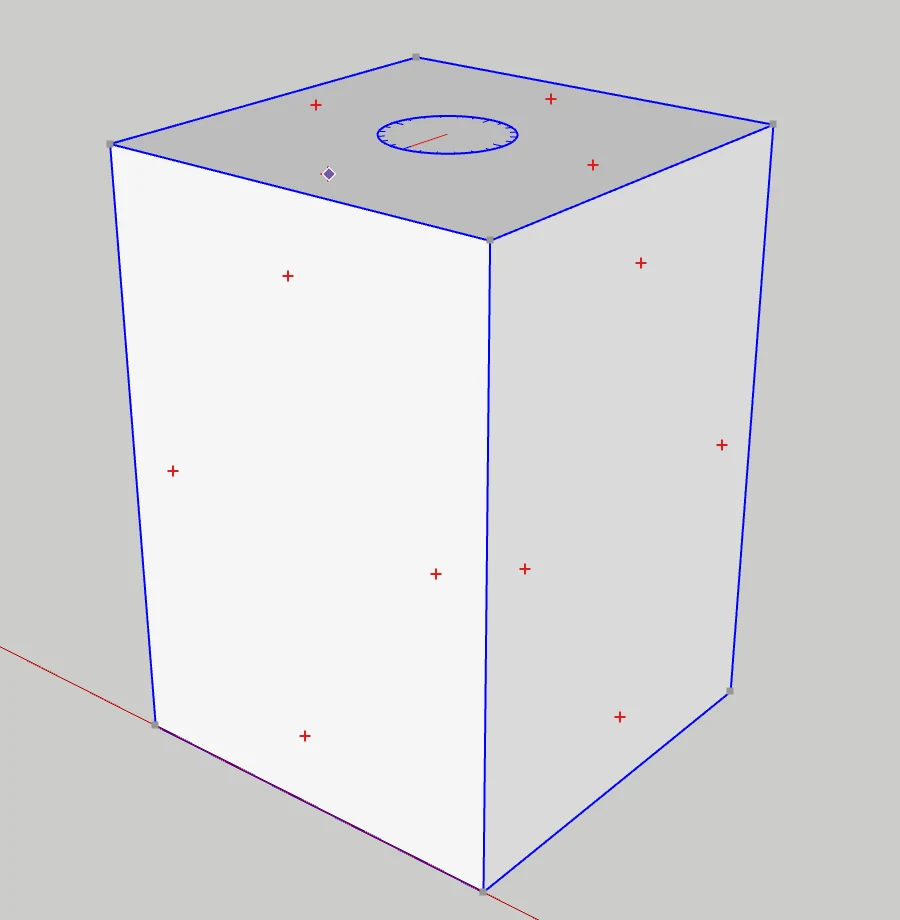
Every click, key and typed value you know from SketchUp's Move works the same.
- Arrow keys lock an axis, Shift locks the inference.
- Ctrl copies, then 5x or /5 for an array; tap it twice to stamp copies.
- Grips on a group's corners (Alt for edge middles and centers); red crosses rotate it.
- Type a distance, [x, y, z] or <x, y, z>, and retype to change it. One undo step.
How It Works
Hardware on a Run of Doors
- 1
Pick up the handle
Click Move, then click the handle on the door. It slides along the door instead of leaving it.
- 2
Slide to the center
A guide marks center width and center height, with the distance to each edge of the door shown live.
- 3
Match the next door
Copy it onto the next door and a lined up guide puts it in line with the handle beside it.
Why It's Better
Why Designers Move With FOCUSED Move
| FOCUSED Move | SketchUp's Move | |
|---|---|---|
| Slides along the surface an object sits on | ✓ | — |
| Snaps to the center height and center width | ✓ | — |
| Distances to every edge shown live | ✓ | — |
| Lines up with the objects beside it | ✓ | Inference only |
| Slides round curved surfaces, staying tangent | ✓ | — |
| Copies, arrays, grips, rotation, typed values | ✓ | ✓ |
FAQ
Questions, Answered
Does it work like SketchUp's Move tool?
What does it do that SketchUp's Move cannot?
Does it work on curved surfaces?
Can I make copies and arrays?
Can it rotate?
Can I turn the guides off?
Download & Pricing
Coming Soon in FOCUSED Tools
FOCUSED Move comes with FOCUSED Tools, together with Profiles, Bevel, curved Push/Pull and Offset, Scale to size, Stretch, Drop, Curve to Surface and the Scene Manager.
Free 7-day trial · Included with FOCUSED Pro