
SketchUp Extension
Your Component Library, Inside SketchUp
Organize every component you already own, search it in seconds, and place objects with a click. Then unlock thousands of SketchUp-ready objects from the FOCUSED 3D Library, right in the same panel.
Free with a FOCUSED account · Online Library $47/month or $397/year
One Panel, Two Libraries
Everything You Own, Plus Everything We Built
Flip between Local and Online with one switch. Same search, same cards, same click-to-place.
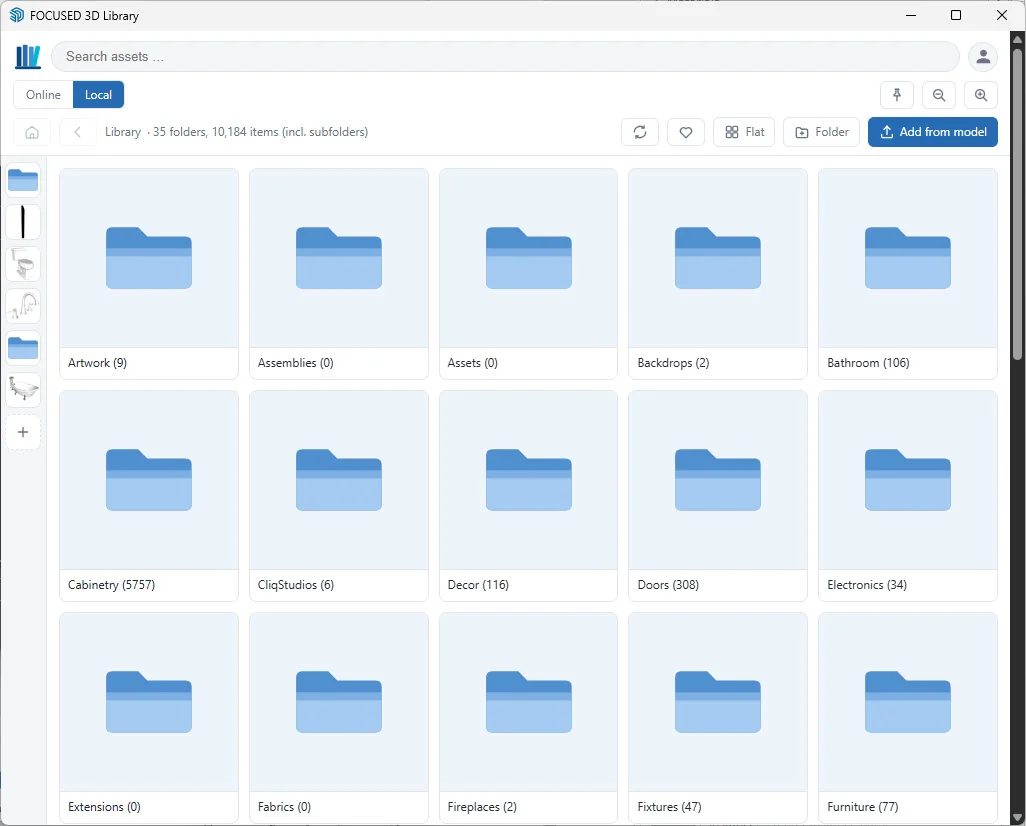
Local · Free
Your components, finally organized
Point it at the folder where your components live. Every model gets a thumbnail, every folder becomes browsable, and everything is searchable. No more digging through Windows folders mid-project.
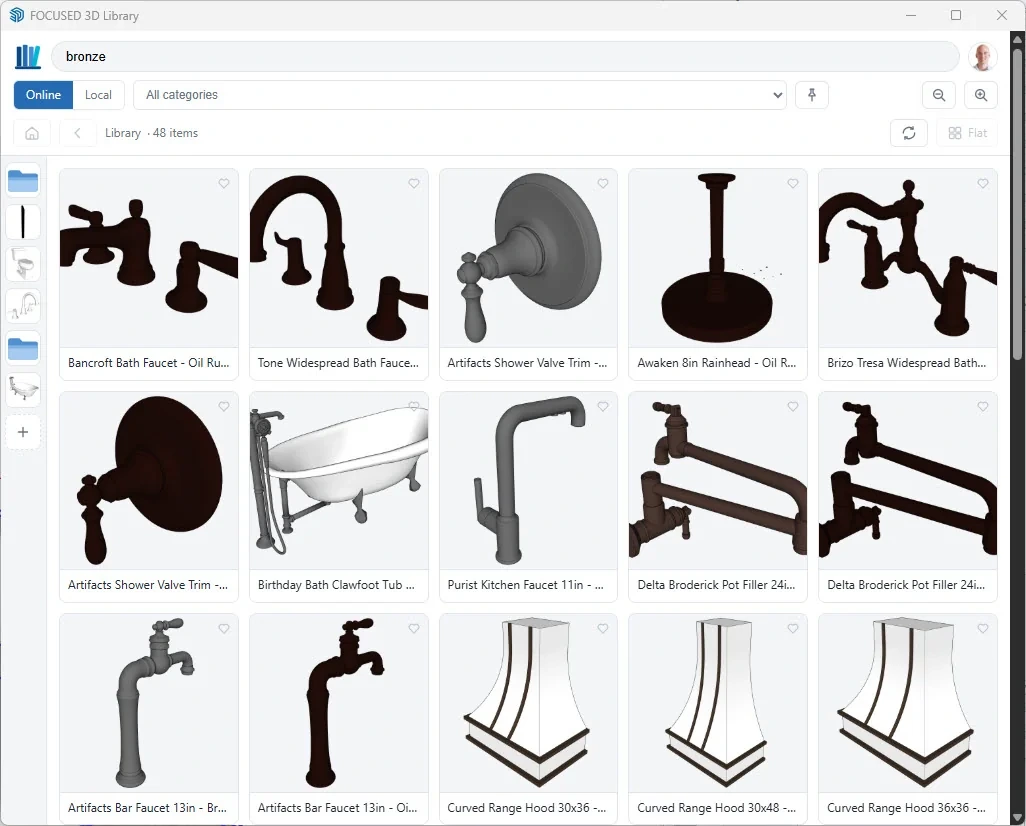
Online · Members
The FOCUSED 3D Library, one click away
Thousands of SketchUp-ready objects, from cabinets and appliances to lighting, doors, windows and curtains, organized by category and pack. Every import is also saved to your Local Library, so it is there next time, even offline.
Local Component Organization
Built for the Library You Already Have
Any folder you choose
Point it at the components you already own. It indexes every .skp and .skm file and builds the thumbnails for you.
Folders, tags and favorites
Create, rename and organize folders, tag items, and heart the ones you use most. Switch between folder view and one flat view.
Save from your model
Select a component or group and add it to the library in one click, with its thumbnail. No save dialog.
Pins
Pin the folders and categories you reach for every day to the side rail, and drag them into your order.
Materials too
SketchUp .skm materials show as swatches and load straight into your model as the active paint.
Free and unlimited
The Local Library is free on every plan with no item limit, and it keeps working offline.
Click to Place
Place and Rotate in One Motion
Click any card and the object lands on your cursor. Drop it, then turn it into position with soft 15° and hard 45° snapping. Need six chairs or a run of cabinets? Import Repeat keeps placing copies, each with the same rotation, until you press Esc.
- Click
- Drop it, then move the mouse to rotate
- ↑ / ↓
- Switch the rotation axis
- ← / →
- Rotate 90°
- R
- Reset the rotation
- Shift
- Move it to a new spot
- Type an angle
- Exact rotation in the Measurements box
- Esc
- Finish placing
Free vs. Membership
Start Free. Unlock the Library When You're Ready.
| Free$0 | 3D Library Member$47/month or $397/year | |
|---|---|---|
| Local Library: organize, search, favorite and place your own components | ✓ | ✓ |
| Unlimited local items, works offline | ✓ | ✓ |
| Placement tool with rotation, snapping and repeat placement | ✓ | ✓ |
| Browse and search the full Online Library | ✓ | ✓ |
| Import Free-tagged Online items | ✓ | ✓ |
| Import every Online object (5,000+), including every new pack | — | ✓ |
| Online favorites saved to your account | ✓ | ✓ |
See everything in the library at focusedsketchup.com/library.
FAQ
Questions, Answered
Is the extension free?
Do I need an account?
Will it work with the components I already have?
How many computers can I use it on?
Does it work offline?
Which versions of SketchUp does the extension work with?
How do I install it?
Requirements
- SketchUp 2026 or 2027, Windows or Mac
- A free FOCUSED account
- Up to 2 computers per account at a time
- Internet connection for Online imports