
Included with FOCUSED AI Rendering and FOCUSED Tools
Organize, Batch Edit and Export Your SketchUp Scenes
A huge step up from SketchUp's row of scene tabs: every scene organized by floor, space and category. Edit twenty scenes as fast as one, export them in a batch, and send the ones you mark straight to FOCUSED AI Rendering.
Comes inside both downloads · Free basics, full version with either
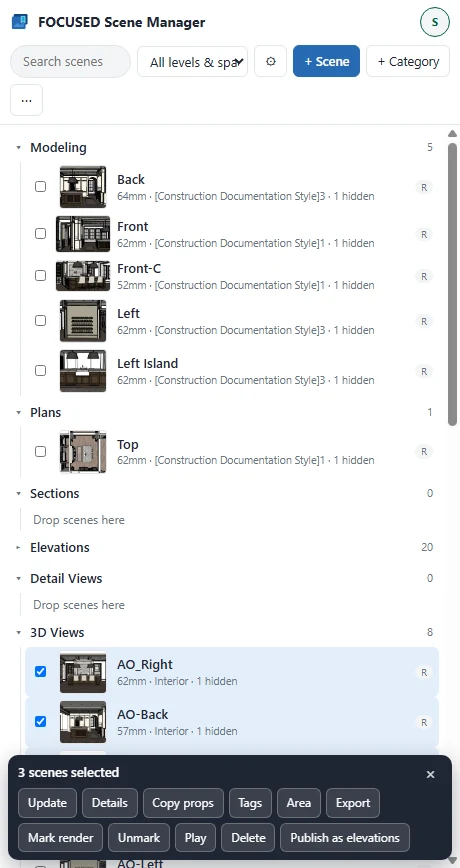
Categories
Every Scene in Its Place
Start with Plans, Sections, Elevations, Interior Elevations, Detail Views, 3D Views and Modeling, then add your own and nest them: 3D Views, then 16:9, then Living room.
- Drag scenes and categories to reorder or move them.
- Double-click to go to a scene; rename it right there.
- The tree is saved in the model, so it travels with the file.
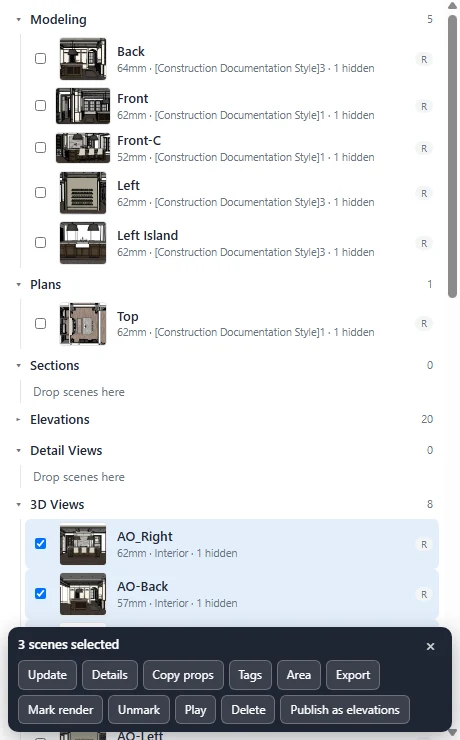
Batch Edits
Change Twenty Scenes as Fast as One
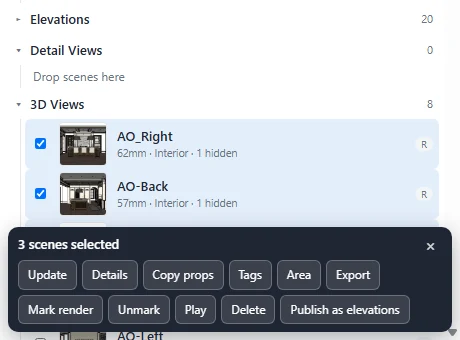
Select several scenes with a click, Ctrl or Shift, and the batch bar appears.
- Copy props: copy one scene's camera, style, shadows, tags or section planes and paste them onto the rest. Fixes drifting plan cameras in one go.
- Tags: see which tags are on, off or mixed across the selection, and set them everywhere at once.
- Export: every selected scene to a folder, named by category, at the size you choose.
- Render with AI Rendering: send the marked scenes, each at its category's aspect.
Free vs. Full
Free to Organize. Unlock the Time Savers.
Free · no payment required
- ✓As many scenes and categories as you like
- ✓Categories and sub-categories, to any depth
- ✓Add, rename, duplicate and delete scenes
- ✓Drag scenes and categories into order
- ✓Thumbnails of every scene
- ✓Play any category as a slideshow
- ✓Edit one scene at a time
Full · with FOCUSED AI Rendering, FOCUSED Tools or Pro
Everything free, plus:
- ✓Scenes by floor and space (Basement, First floor, Kitchen), shared with FOCUSED AI Rendering
- ✓Update many scenes at once, or only their camera or style
- ✓Copy one scene's properties and paste them onto others
- ✓Show or hide tags across many scenes
- ✓Export many scenes at once, PNG or JPG, at any size
- ✓A render aspect per category, like 16:9 or 9:16
- ✓Publish scenes as elevations to a FOCUSED project
Why It's Better
More Than SketchUp's Scenes Panel
| FOCUSED Scene Manager | SketchUp's Scenes panel | |
|---|---|---|
| Categories and sub-categories | ✓ | — |
| Update, retag or export many scenes at once | Full version | — |
| Copy and paste scene properties | Full version | — |
| Scene thumbnails and slideshow by category | ✓ | One list |
| Hand-off to AI rendering | ✓ | — |
| Order without re-creating scenes | ✓ | ✓ |
FAQ
Questions, Answered
What does FOCUSED Scene Manager do?
Is it free?
Is there a limit on scenes in the free version?
Is there a free trial of the full version?
Does it rename or duplicate my scenes?
Where are my categories stored?
Does it work with FOCUSED AI Rendering?
Download & Pricing
Included With FOCUSED AI Rendering and FOCUSED Tools
FOCUSED Scene Manager comes inside both downloads, so there is nothing extra to install. Every FOCUSED AI Rendering plan and its free trial, FOCUSED Tools and its 7-day trial, and FOCUSED Pro unlock the full version. In FOCUSED Tools it comes together with Profiles, Bevel, curved Push/Pull and Offset, Scale to size, Stretch, Drop, Move and Curve to Surface.
No separate download · Free basics in either one