
FOCUSED Tools · AI Modeling
Describe It. Watch It Build. Talk to Change It.
Type what you want and AI builds it in your SketchUp model while you watch, part by part, then keeps changing it as you talk.
Part of FOCUSED Tools · Free 7-day trial
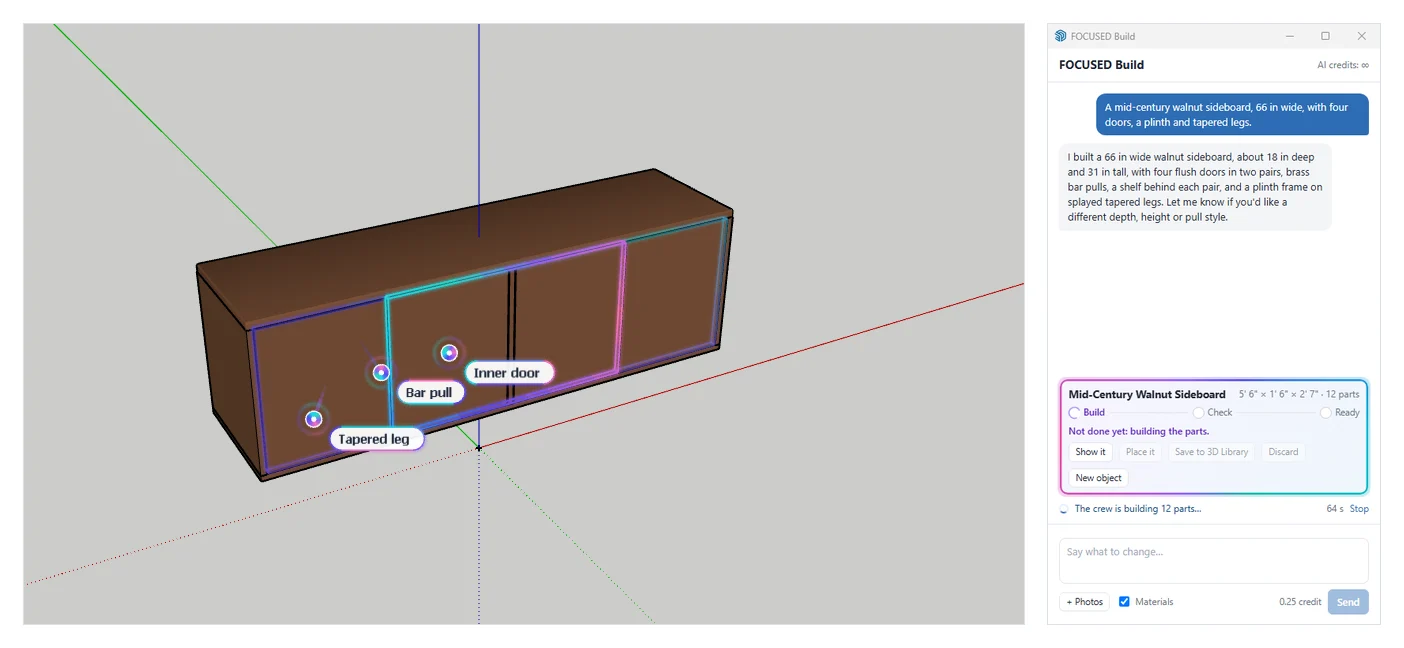
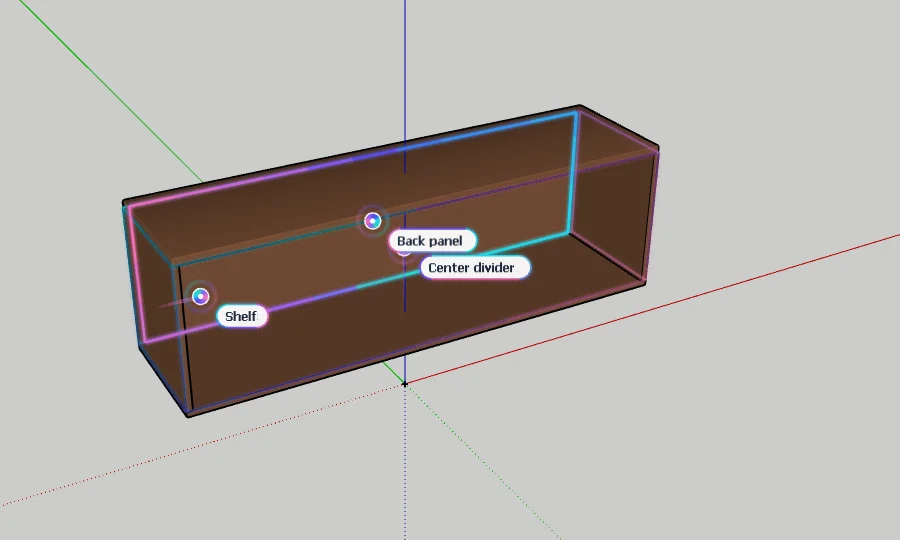
Watch It Build
Real Parts, Built Where You Can See Them
The AI plans the object as the parts a real one is made of, at their true sizes. Then glowing agents fly to each part and build it in your model, beside what is already there.
- Every part a named solid: Top, Front leg, Left door, Plinth. Assemblies grouped; matching parts are components.
- Materials named for what they are, with roughness and metal (PBR) on SketchUp 2025+.
- Add photos and the textures are cut from them.
It Checks Its Own Work
Not Done Until It Says Ready
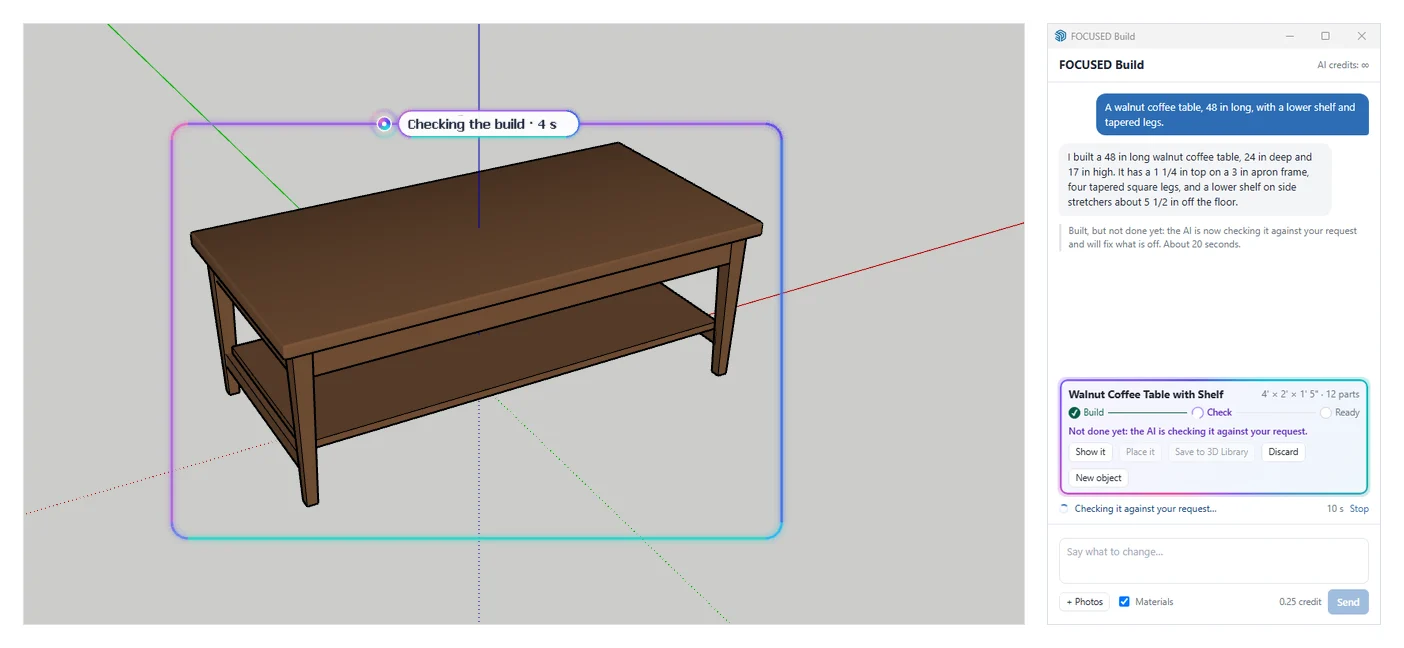
When the parts are in, the AI draws the object from four sides, compares it with what you asked for, and fixes what is off: a shelf floating above its rails, a missing stretcher, legs too thick.
- The glow turns around the whole object while it checks, and the window shows Build, Check, Ready.
- With photos, the check puts the model beside each photo and measures the difference.
- Included in the price of a new object.
Keep Talking
Change It by Saying What You Want
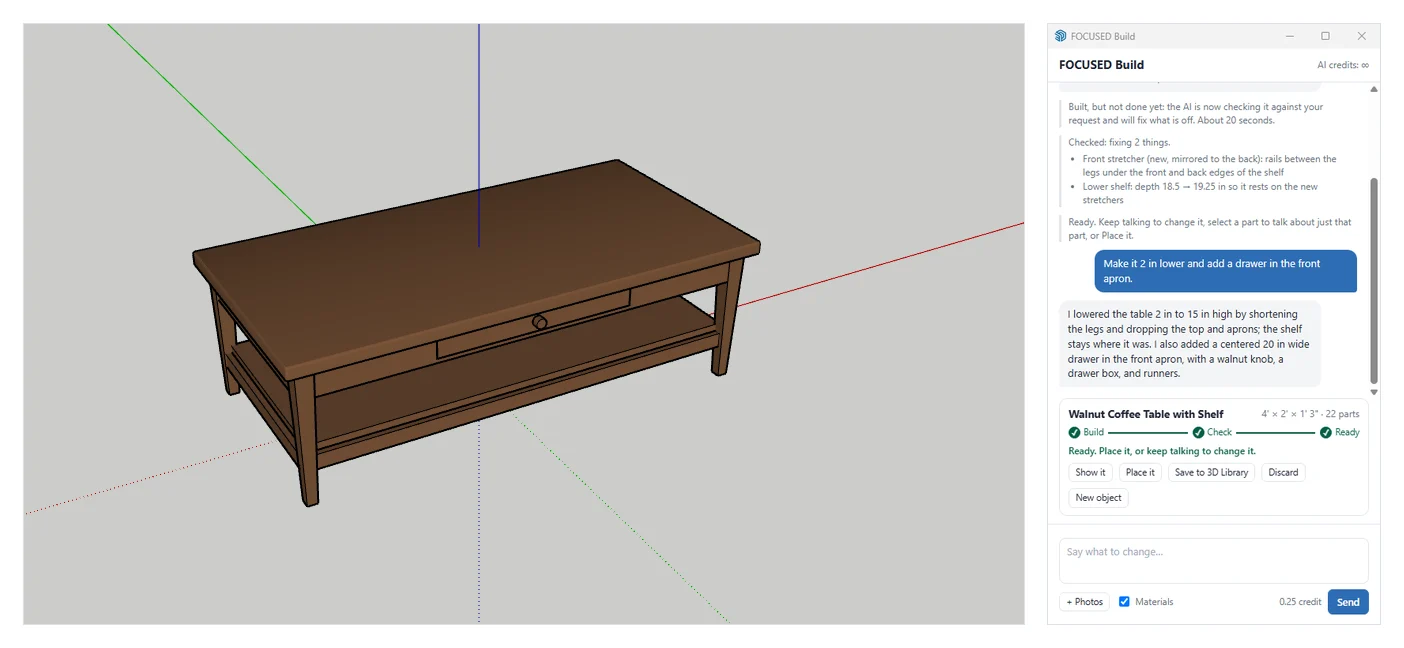
"Make it 2 in lower." "Add a drawer in the front apron." "Taper the legs more." The AI changes exactly that, works out what else has to move, and rebuilds only those parts.
- Select a part first to talk about just that part.
- Every message is one undo.
- Come back later: select it and talk to it again. Objects from Image to 3D work too.
- Place it in your model, or save it to your FOCUSED 3D Library.
How It Works
From a Sentence to a SketchUp Component
- 1
Say what to build
A sentence or two: "a walnut coffee table, 48 in long, with a lower shelf". Add photos if you have them.
- 2
Watch it build
Glowing agents put in each part beside your model, named as they go: top, legs, aprons, shelf.
- 3
Let it check
The AI looks at what it built from four sides and fixes what is off. It is done when the steps reach Ready.
- 4
Talk to change it
"Make it 2 in lower", "add a drawer". Only the parts that change are rebuilt. Then place it or save it to your 3D Library.
Why It's Better
Why Designers Use FOCUSED Build
| FOCUSED Build | Text-to-3D AI tools | |
|---|---|---|
| Built inside your SketchUp model | ✓ | Download and import |
| True size from what you say | ✓ | Scale it yourself |
| Clean SketchUp parts, named and grouped | ✓ | One heavy triangle mesh |
| Checks its own work and fixes it | ✓ | — |
| Change it by talking; only changed parts rebuilt | ✓ | Generate again from scratch |
| Saved straight to your FOCUSED 3D Library | ✓ | — |
FAQ
Questions, Answered
What can I build with it?
What does the model look like?
How do I change it?
What is the check?
Can I use photos?
Can I come back to an object later?
Download & Pricing
Coming Soon in FOCUSED Tools
FOCUSED Build comes with FOCUSED Tools, together with Image to 3D, Floor Plan to 3D, Profiles, Bevel, curved Push/Pull and Offset, Scale to size, Stretch, Drop, Move, Curve to Surface, Dummify and the Scene Manager. Each object is paid with FOCUSED AI credits.
Free 7-day trial · Included with FOCUSED Pro