V-Ray vs. AI Rendering: Which Is Better for SketchUp Designers?
The honest breakdown of V-Ray vs. AI rendering for SketchUp designers — pros, cons, what each one costs, and the faster route most designers should take now.

For years, my answer to "how do I make my SketchUp model look real?" was one word: V-Ray. I built a whole course on it. FOCUSED V-Ray for SketchUp is 87 lessons and about 23 hours long, and every one of those hours is there because V-Ray needs it.
Then AI rendering showed up. Export a SketchUp scene, drop it into an AI app, type a sentence, and a photoreal picture comes back moments later. No materials to tune, no lights to place, no graphics card fan screaming at you.
So which one should you actually use for client work? I've used both on real projects, so here's my honest breakdown: what V-Ray does better, what AI does better, where each one falls apart, and the route I now recommend to most designers.
Key Takeaways:
- V-Ray is still the king of control: physically accurate light and exact materials, but every material, light and setting is set up by hand.
- General AI rendering is fast and needs no setup: but most AI apps reinvent your room in every render and sometimes redesign your layout.
- Consistency is the real test: a client presentation is five to ten views of one design, and every view has to show the same room.
- FOCUSED AI Rendering gives you both: your design lives in the SketchUp model, so every render matches, with no material setup and no graphics card.
- Try it free: 25 credits for 7 days, no card needed, interiors and exteriors.
*Affiliate links may be used throughout this article. Read our Privacy Policy for more information.
Table of Contents
What V-Ray Is, and Why It's Been the Standard
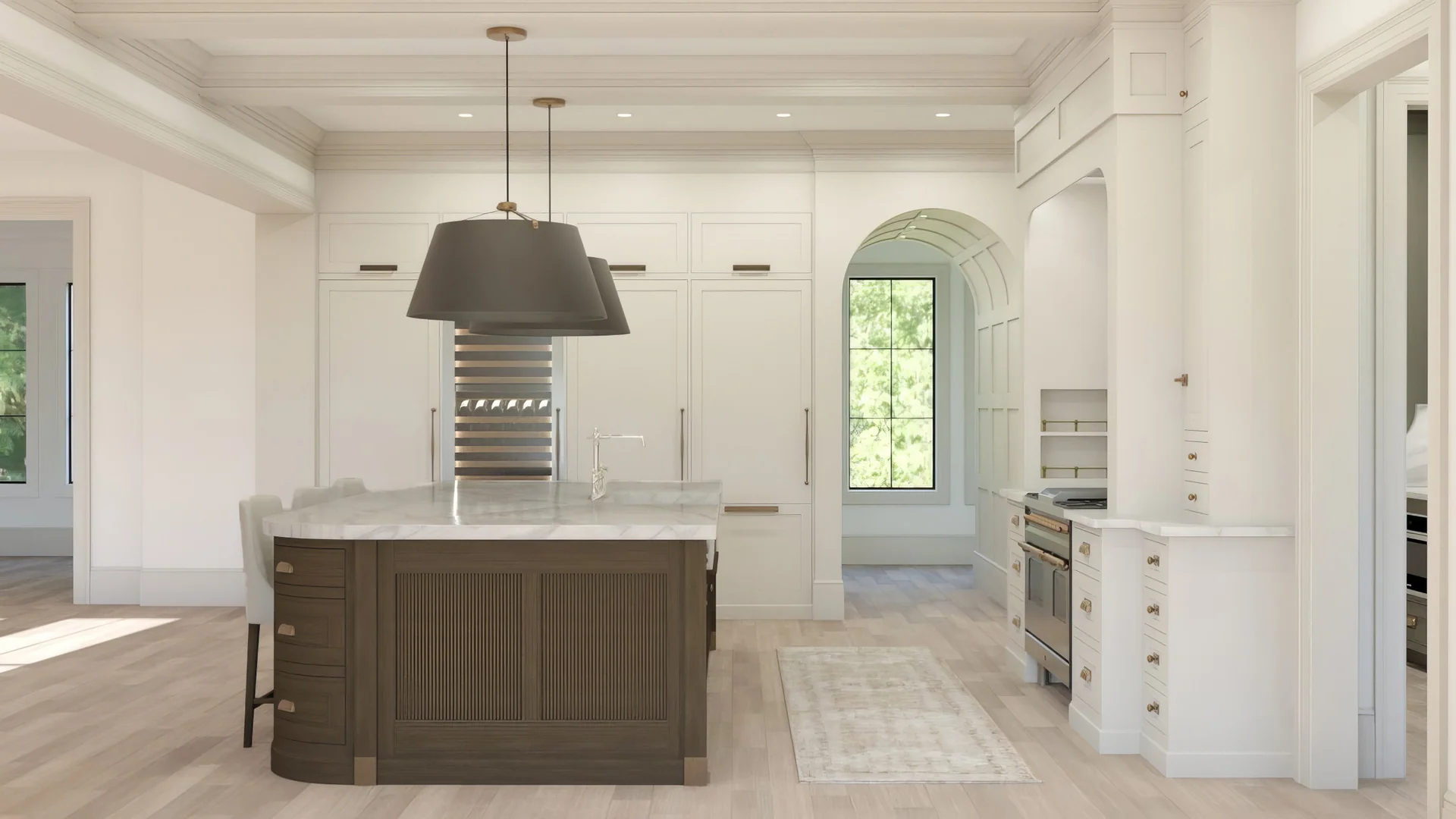
V-Ray, made by Chaos, is a traditional render engine that runs as an extension inside SketchUp. It calculates how light actually moves around your room: through the windows, off the floor, into the corners. Every surface gets a V-Ray material that tells it how rough, shiny, reflective or see-through it is.
When it's set up well, the result holds up against anything in the industry. Chaos calls it "the industry standard for SketchUp rendering," and for more than twenty years that's been hard to argue with.
V-Ray: The Pros
There's a reason so many professional renderers still use it every day.
- Total control. Every light, every material, the camera's exposure, the time of day. Nothing happens that you didn't decide.
- Physically accurate light. The sun, the sky and every fixture behave like the real thing, so you can show how a room actually feels at 4 PM in winter.
- The same room in every view. Once your materials and lights are set, every scene shows the same design. Remember this one. It's the whole ballgame.
- Exact geometry. It renders what you modeled. Nothing is added, nothing is moved.
- Animations, panoramas and tours. V-Ray renders walkthroughs and 360 panoramas you can even step into with a VR headset.
- A big asset library. V-Ray Solo includes up to 15,000 3D assets and materials from Chaos.
V-Ray: The Cons
Here's the part the gallery images don't show you.
It takes a long time to learn
V-Ray has a deep set of controls: exposure, global illumination, denoisers, render elements, and material layers for reflection, refraction, bump and coat. There's a reason my course is 23 hours. Most designers who try to learn it on their own get frustrated and walk away, or they settle for flat, gray-looking renders and never know why.
Every material and light is set up by hand
Before your first good render, every surface needs a V-Ray material that's been tuned. The marble needs the right reflection, the fabric needs bump, the glass needs refraction. Then you place and tune the lights, set the sun or an HDRI, and dial in the camera.
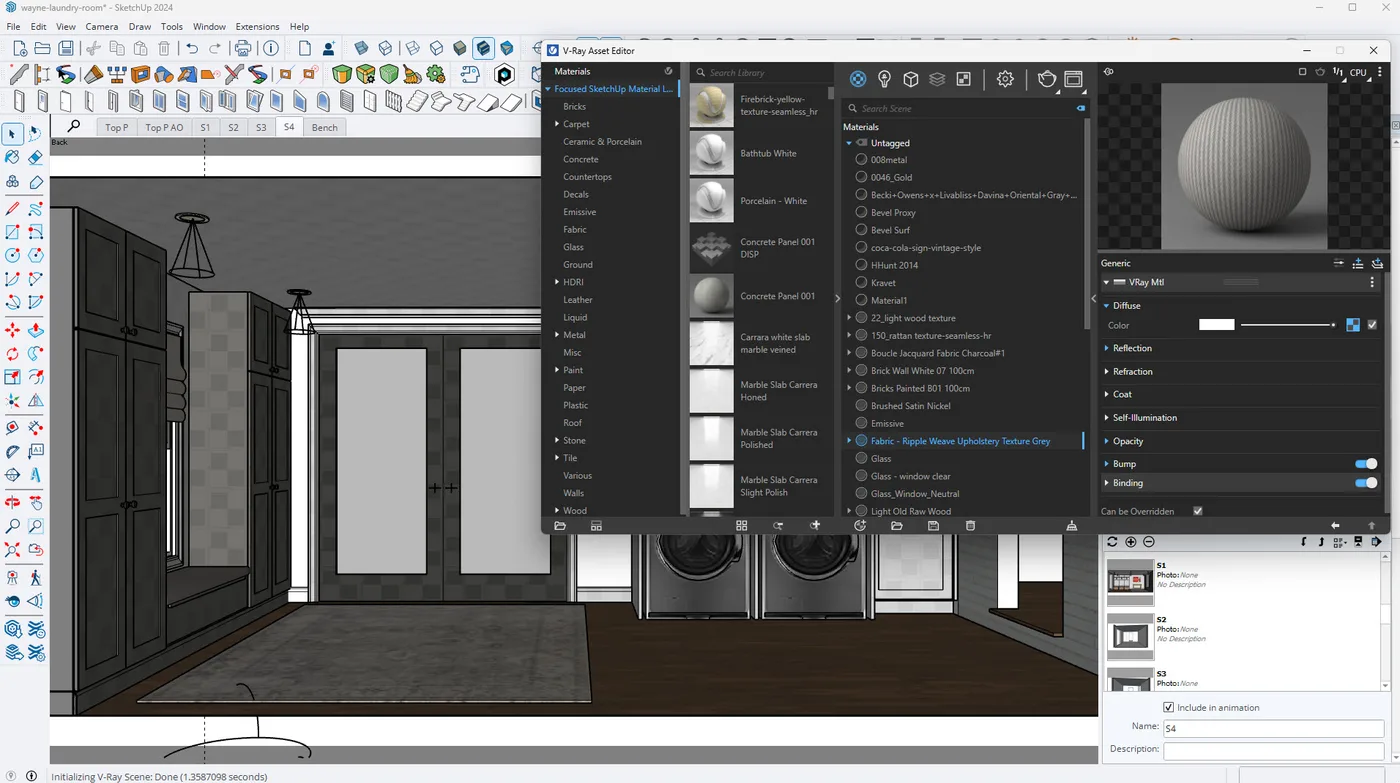
And your client's actual products? You either find a 3D model of that exact pendant or sofa, or you model and texture one yourself. More often than not, a close-enough stand-in is what ends up in the render.
Your computer does the work
V-Ray renders on your own machine, so its speed depends on your processor and graphics card. A detailed interior can take anywhere from minutes to hours per image, and you'll usually render a few test passes before the final one. That's why I've written up the computer I use for SketchUp and V-Ray: with V-Ray, the hardware matters.
The cost isn't just the license
There's the subscription (more on prices below), the computer that can render, and the biggest cost of all, which never shows up on an invoice: your hours of setup on every single project. Here's what one V-Ray render really takes:

What AI Rendering Is
AI rendering takes a completely different route. Instead of calculating light, an AI image model looks at a picture of your scene and paints a photoreal version of it, drawing on everything it has learned from real photos.
Most designers start by exporting a SketchUp scene, dropping it into ChatGPT or another general AI app, and typing what they want. And it isn't a fringe thing anymore: Chaos itself now includes monthly AI credits in its V-Ray plans. AI is part of rendering now. The real question is how you use it.
AI Rendering: The Pros
- Fast. A photoreal image in moments, instead of hours of setup and render time.
- No setup. No V-Ray materials, no light rigs, no render settings.
- Real-looking finishes. AI is very good at the things V-Ray users fight with: soft daylight, believable fabric, plants, and a room that feels lived in.
- No graphics card. The image is made on the AI company's servers, so a regular laptop is fine.
- Easy to learn. If you can describe a room, you can get a render.
AI Rendering: The Cons (With General AI Apps)
Here's where it falls apart. If you've tried it, you've felt this.
Every render is a different room
A general AI app starts from scratch on every image. It has no memory of what the marble or the sofa looked like in the last render, so it guesses again. Render the kitchen from the island and the cabinets are walnut. Render it from the doorway and they're oak, the pendants changed, and there's a window where you never drew one.
Your client doesn't see a set of renders of their kitchen. They see three different kitchens.
It redesigns your layout
Ask for "a modern kitchen" and the AI may move the island, raise the ceiling or add cabinets you never drew. That's fine for a mood board. It's a real problem when your client signs off on what they saw.
It can't show your actual products
You specified a particular pendant, a particular tile and a particular paint color. A general AI app gives you something in the same spirit, so you re-roll until it's close. Then you re-roll the next view and start all over.
Prompting becomes the job
Instead of tuning V-Ray settings, you're tuning sentences. Copy, paste, regenerate, repeat. Have you ever spent more time explaining the differences between your renders than presenting the design? That's this.
V-Ray vs. AI Rendering, Side by Side
Put the two next to each other, along with the extension I built to close the gap between them:

The pattern is hard to miss. V-Ray is consistent, but only after hours of setup. General AI apps are fast, but they change the room every time. What most designers actually need is both: V-Ray's consistency with AI's speed.
Where FOCUSED AI Rendering Fits
That's exactly why I built FOCUSED AI Rendering. It's a SketchUp extension and an online portal, it does interiors and exteriors, and it fixes the one thing that kept general AI out of real client work: consistency.
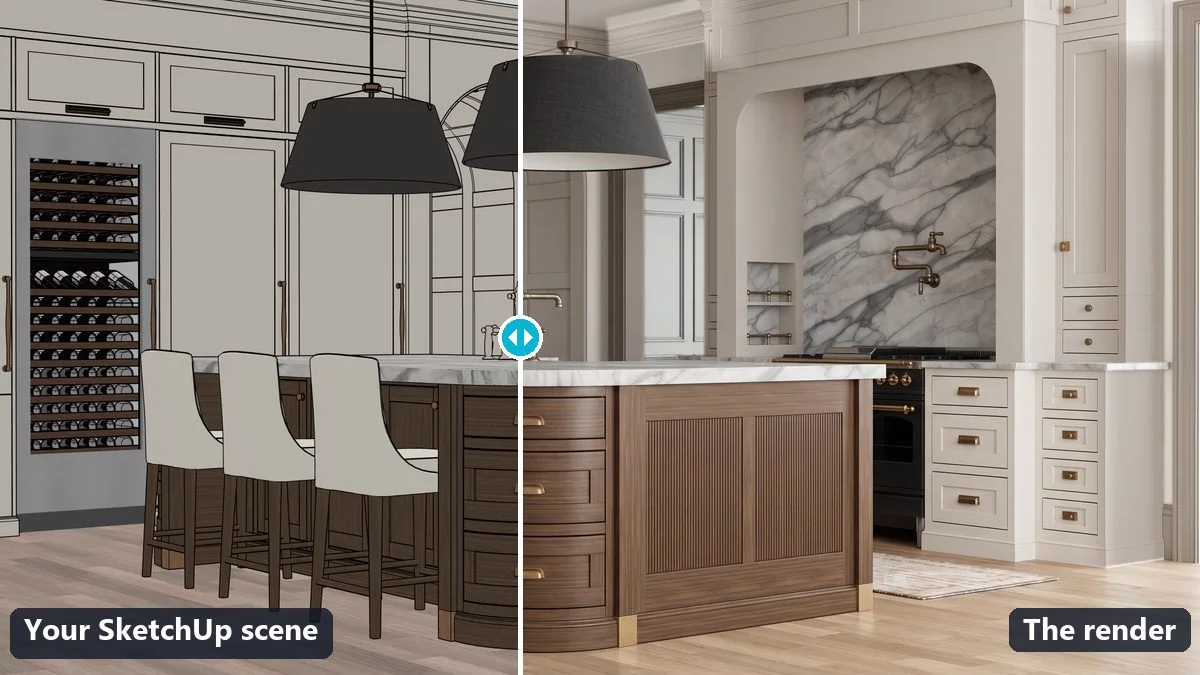
Your design lives in the model, not in a prompt
Instead of describing your room in a sentence and hoping, you assign your design to SketchUp itself, once. On the Products tab, click a component and give it a photo of the actual pendant, stool or sofa you specified. On the Materials tab, give each SketchUp material a photo of the real finish: a slab, a sample, a supplier's swatch. Paints go in by brand, name and code, each with its own sheen.
Every render reads all of that from the model. Six stools, one photo. Ten scenes, one kitchen.
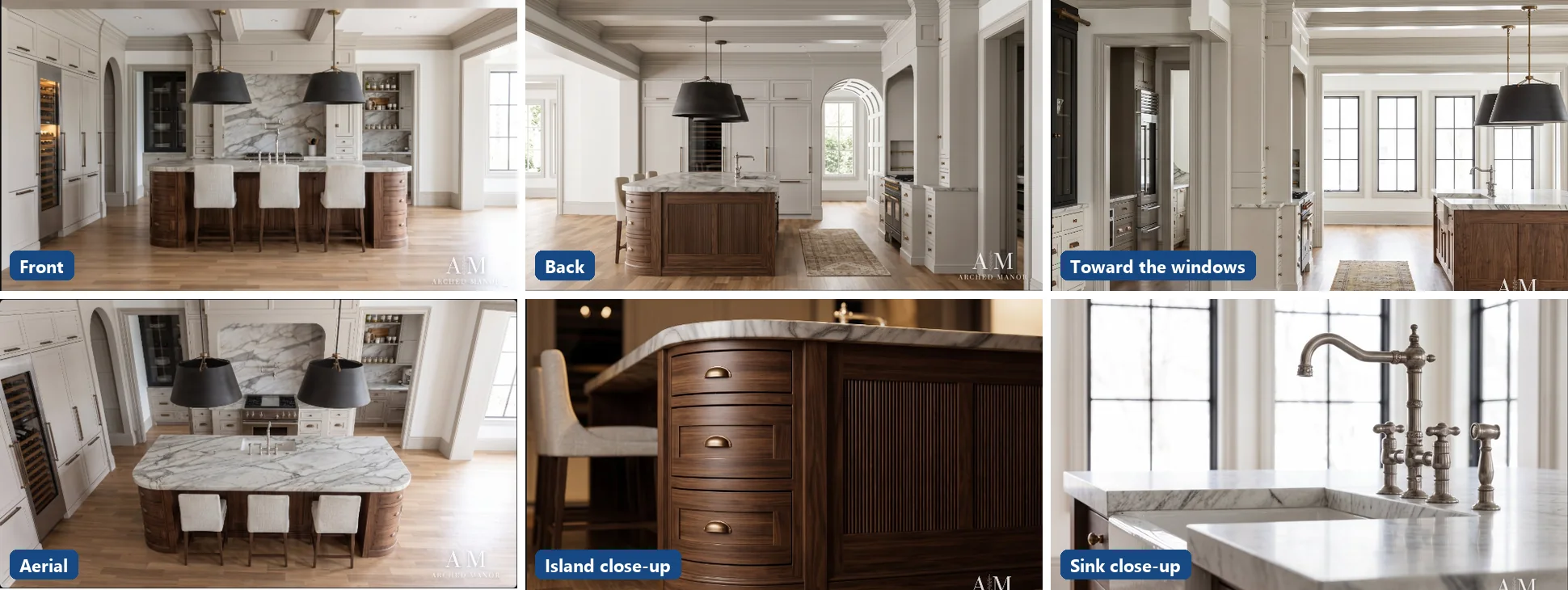
V-Ray's best trait, without V-Ray's setup
The SketchUp model is the truth: walls, windows, cabinets and furniture render where you drew them, at the sizes you drew them. That's the V-Ray strength you don't want to give up. But there's no material tuning, no light rig and no render settings. On the Lights tab you mark each fixture once and switch groups on or off for each scene. Then you go to a scene and press Render this scene.

There are no prompts to write, either. The extension writes the instructions from your model. If one view needs something extra, you add a short note to that scene, like "evening, lamps on".
No graphics card needed
Renders are made on our servers. SketchUp only exports the scene, so a regular design laptop is fine, on Windows or Mac. The computer upgrade you'd plan around V-Ray simply isn't part of the conversation.
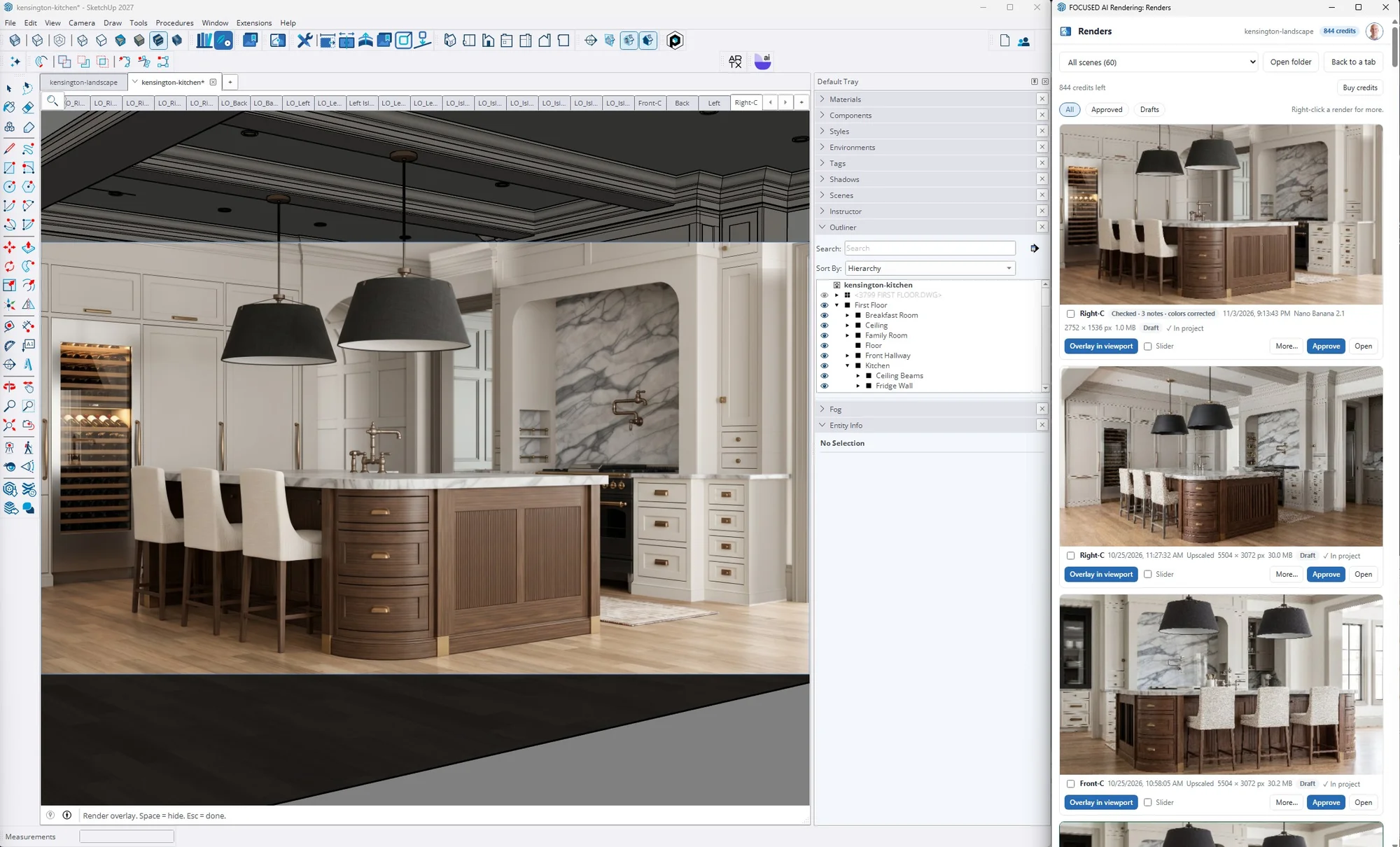
Fix what's wrong without starting over
In V-Ray, a wrong material means fixing it and rendering the whole scene again. In a general AI app, it means rolling the whole image again and hoping the rest survives. Here, you choose Fix an area…, drag a box around the wall that came out in the wrong paint and say what it should be. Only the boxed area is redone. Fix one object… redoes a single product from its own photo, and the cabinets, counters and light around it stay put.
Exteriors too
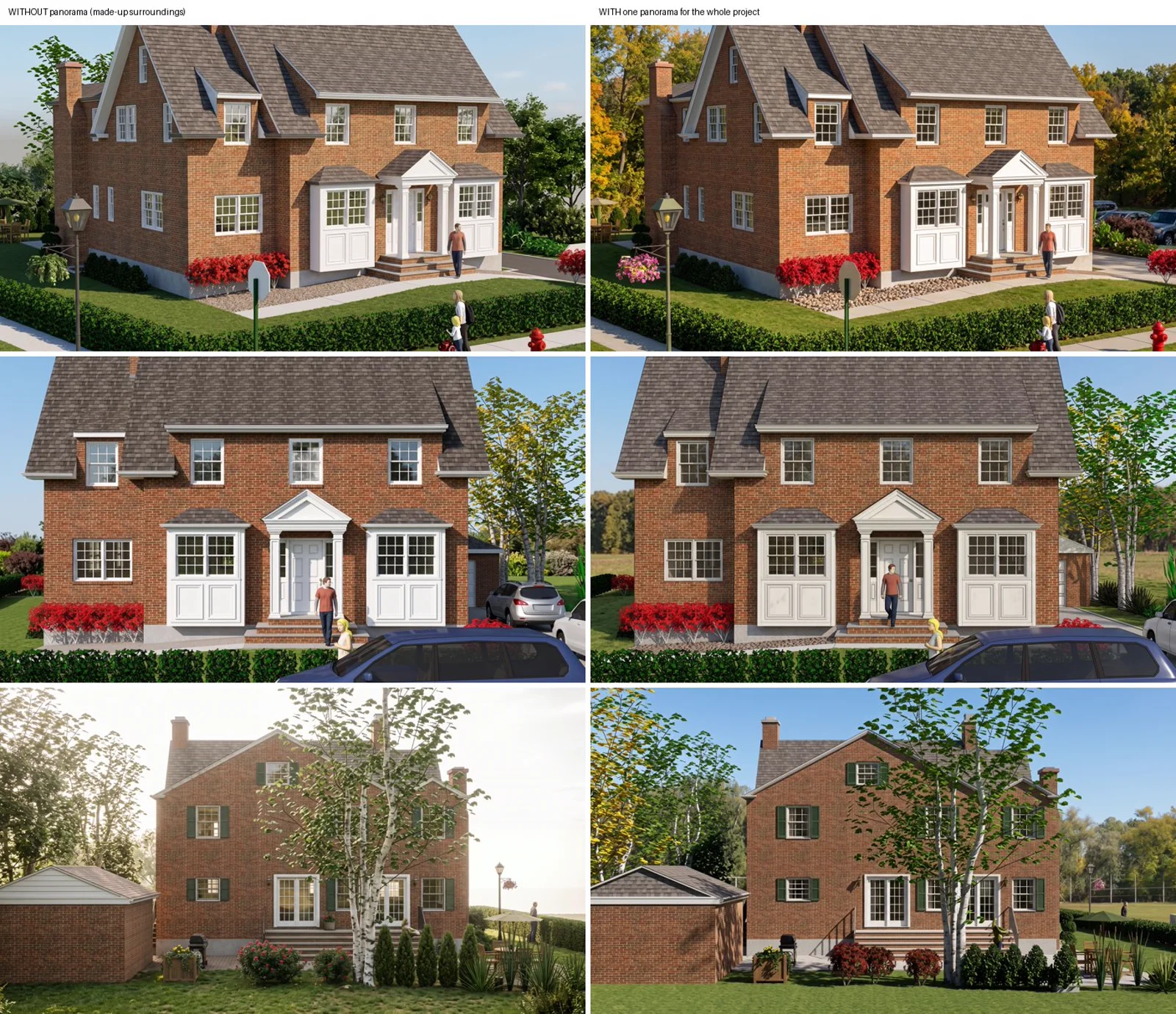
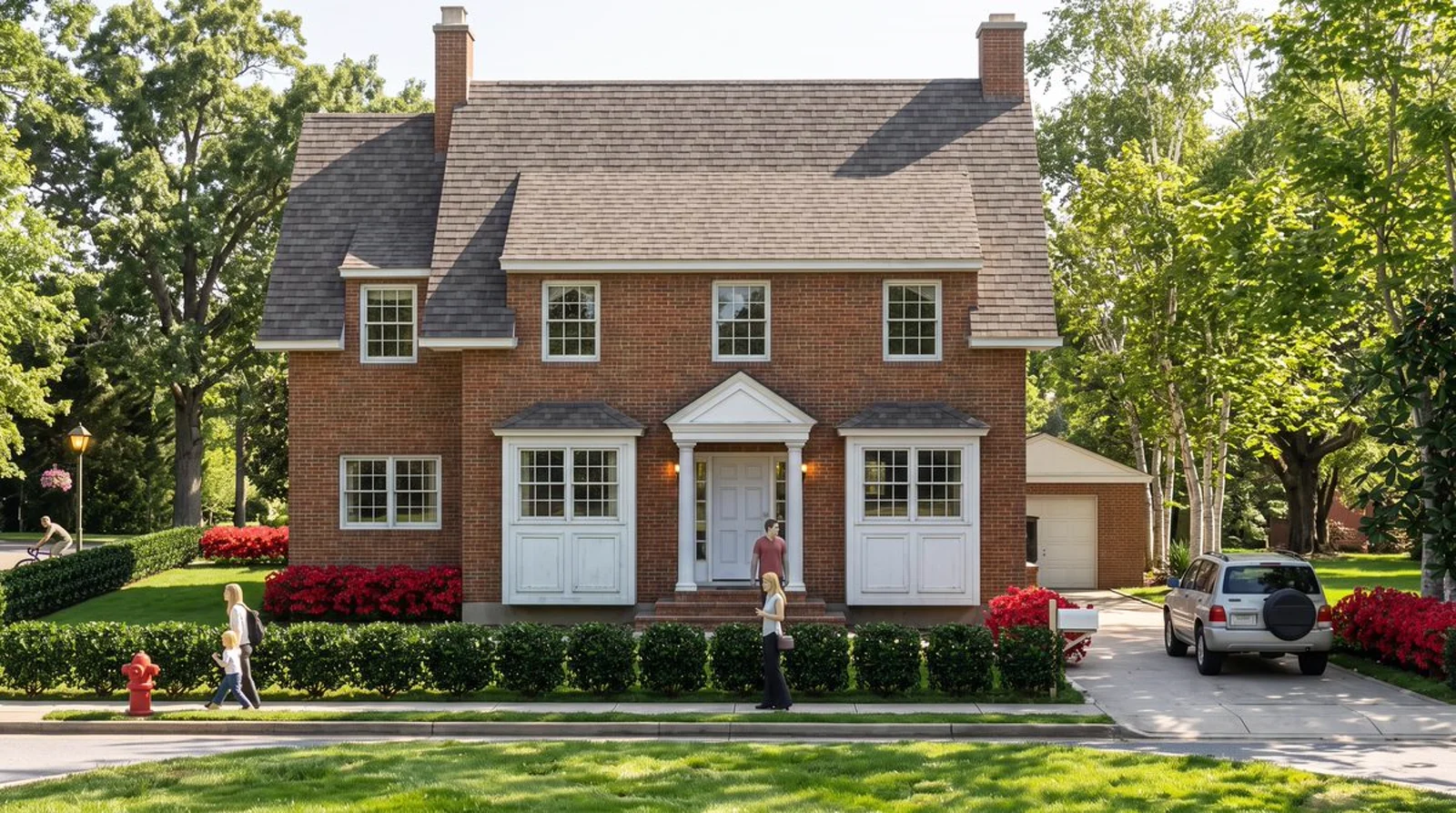
Each scene is set as Interior or Exterior. Exterior scenes get time of day, weather and season, shadows that follow the sun, and one shared site for the whole project, so every view of the house shows the same surroundings. Paving, walks and site walls keep the outline you drew, and the people, cars and trees you modeled stay in the picture.
Everything after the render
This is the part V-Ray never did for me. Every render files itself into its project at projects.focusedsketchup.com. From there you can make new camera angles and times of day, turn approved renders into video, and send each client their own page with your logo, where they can drop a pin and a comment right on a render. FOCUSED Scene Manager comes in the same download, too.
What Designers Who Switched From V-Ray Said
In November, a group of FOCUSED students and working designers rendered their own projects with it for the beta. Several of them came straight from V-Ray.

Tara P. runs design communication between designers, contractors and homeowners:
My team and I have been using V-Ray and/or Enscape for our renders in the past, but from what I've seen with FOCUSED AI Rendering we'll be making the switch. It honestly combines 3-4 steps of my workflow into one. And it works!
Dawn G. does high-end residential renovations:
I was using Enscape and Vray. Focused AI rendering was so fast and easy to use. I liked that I didn't have to spend time with lighting in my model, special textures etc.. I like that I could focus on creating my model and the extension would do the rest.
Carina M. took my Kitchen Design course with V-Ray earlier this year:
I really like this a lot better. The results are very professional and beautiful! It's a lot easier to use, and it's an 'all-in-one' rendering package…
And on the learning curve, Mark B., who designs commercial interiors and custom furniture, put it at "a half-day of training effort and a little trial and error." Compare that to 23 hours of V-Ray lessons.
Testers got free early access. A written review and the survey earned a free month, and a video review two more, whatever the review said. Quotes are word for word, with each tester's permission. Read all the reviews.
Is V-Ray Ever Still the Right Call?
Yes, and I'll be straight with you about when. If your work is physically accurate lighting studies, 360 panoramas for a VR headset, or long animated walkthroughs of a whole house, V-Ray is built for exactly that. If that's you, my FOCUSED V-Ray for SketchUp course walks you through the whole workflow, and it's included in FOCUSED Pro.
But that isn't most designers. Most designers I talk to need five to ten beautiful, consistent views of a kitchen, a bath or a house to present to a client this week, without becoming a rendering technician first. For that work, FOCUSED AI Rendering is the better route. And to be clear: these are client deliverables, not "concepts until the V-Ray version is ready". That's exactly what the beta testers used them for.
What It Costs
V-Ray Solo lists at $540 a year and V-Ray Premium at $778.80 a year (Chaos, November 2026, before any Black Friday discount). Add SketchUp, plus a computer strong enough to render.
FOCUSED AI Rendering is its own subscription, and the rendering happens on our servers, so there's no hardware to buy:
- Render: $47 a month with 150 credits, and your first client project gets its own client page free.
- Studio: $97 a month with 300 credits and client pages on every project.
- Yearly: either plan costs the same as ten months, so two months are free.
A render costs 1 credit, and a render that fails costs nothing.
How to Try It Free
A new account gets 25 credits for 7 days, whichever runs out first, and no card is needed. During the trial you have every Studio feature, client pages included, so you can try the whole thing on a real project.
- Download the extension and install it from Extensions → Extension Manager in SketchUp 2026 or 2027, on Windows or Mac.
- Sign in with your FOCUSED account. The trial starts there.
- Save your model and link it to a project on the Project tab.
- Add photos to your two or three biggest finishes (usually the floor, the cabinets and the countertop) and your key products.
- Go to a scene and press Render this scene.
My suggestion: take a project you've already rendered in V-Ray, or one you never had time to render at all, and see what comes back.
Frequently Asked Questions
Is AI rendering better than V-Ray?
For most designers making client presentations, yes, as long as the AI keeps your design consistent from view to view. FOCUSED AI Rendering does that with no material or lighting setup. V-Ray is still built for physically accurate lighting studies, VR panoramas and long animated walkthroughs.
Will AI rendering change my SketchUp design?
General AI apps often do: they can move the island, add windows or swap your finishes between renders. In FOCUSED AI Rendering the SketchUp model is the truth, so walls, openings, cabinets and furniture stay where you drew them, at the sizes you drew them.
Do I need a powerful computer for AI rendering?
Not with FOCUSED AI Rendering. Renders are made on our servers and SketchUp only exports the scene, so a regular design laptop is fine. V-Ray renders on your own computer, so its speed depends on your processor and graphics card.
How much does V-Ray cost compared to FOCUSED AI Rendering?
V-Ray Solo lists at $540 a year (Chaos, November 2026). FOCUSED AI Rendering's Render plan is $47 a month with 150 credits, and Studio is $97 a month with 300 credits. Yearly plans cost the same as ten months, and a render costs 1 credit.
Does FOCUSED AI Rendering work for exteriors?
Yes. Each scene is set as Interior or Exterior. Exterior scenes get time of day, weather and season, shadows that follow the sun, and one shared site for the project, so every view of the house shows the same surroundings.
Is there a free trial of FOCUSED AI Rendering?
Yes. A new account gets 25 credits for 7 days, whichever runs out first, with no card needed. It works in SketchUp 2026 and 2027 on Windows and Mac, and during the trial you have every Studio feature, client pages included.
V-Ray taught a whole generation of designers what a great render looks like, me included. But most of us never needed a physics engine. We needed the same room, looking real, in every view, without losing a day to setup. Put your products and finishes on the model once, render your next presentation, and see the difference for yourself. Your first 25 renders are on me.
Tags