PBR Materials Just Landed in the FOCUSED 3D Library
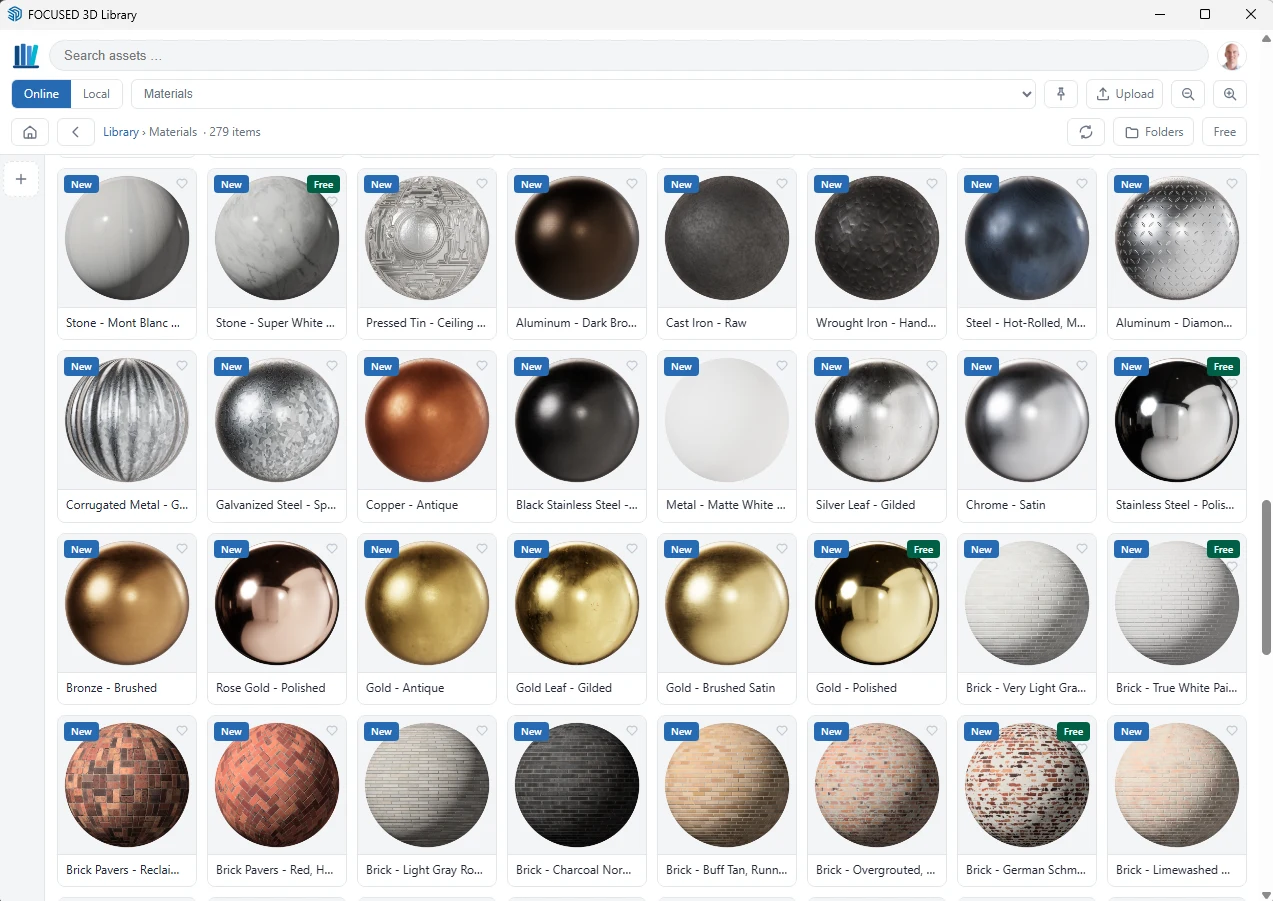
The FOCUSED 3D Library now has 279 PBR materials for SketchUp — tile, stone, countertops, wood flooring, brick, metal and more, every one at real-world size. Here's what's in the first set and how to get them.

You know the routine. You need a white subway tile or a Calacatta countertop, so you search the web, download a JPG that looks fine as a thumbnail, import it, and then spend ten minutes guessing at the scale until the tiles stop looking like bathroom-sized bricks.
And even when you get the size right, it still looks flat. A polished marble and a honed one read exactly the same, because the picture is the only thing the material knows about.
That's the problem I set out to fix. The FOCUSED 3D Library now has PBR materials, 279 of them in this first set, and every one comes into SketchUp at its real-world size.
Key Takeaways:
- 279 PBR materials: tile, natural stone, countertops, wood flooring, brick, metal, fabric, leather, pavers, roofing and more, with hundreds more coming over the next few weeks.
- Real-world size: a 3 x 6 subway tile paints on as 3 x 6, with no scaling and no guessing.
- More than a picture: each material carries the roughness, relief and reflection maps that make a render look real.
- 28 are free: a free FOCUSED account can use them, and a 3D Library membership unlocks all 279 plus over 4,500 premade 3D objects.
- You need extension version 1.1.0: update the FOCUSED 3D Library extension and the Materials folder appears in the Online Library.
*Affiliate links may be used throughout this article. Read our Privacy Policy for more information.
Table of Contents

What PBR Actually Means for Your SketchUp Model
PBR stands for physically based rendering. Skip the jargon and here's what it means for you: the material describes the surface, not just its color.
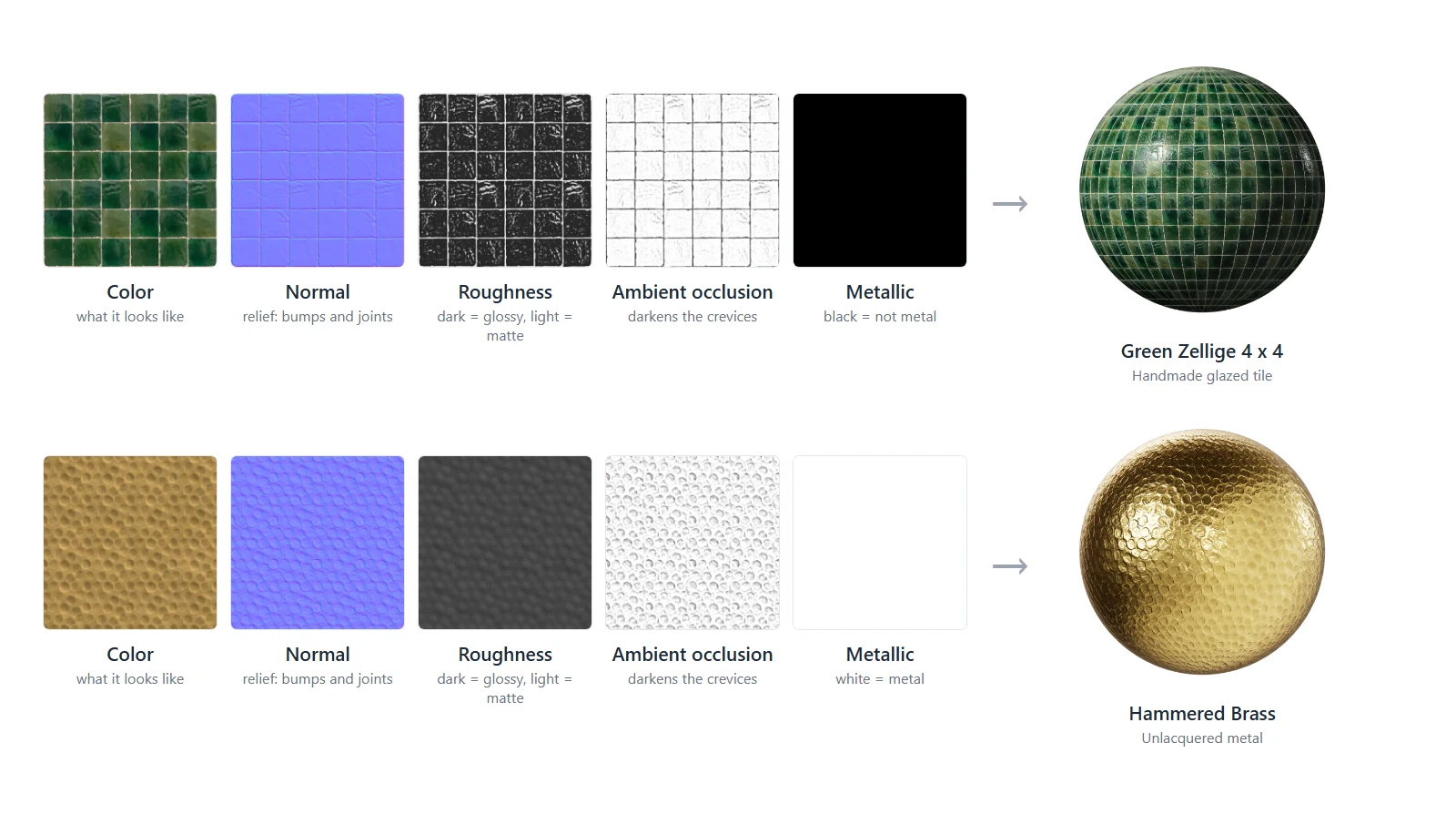
A regular SketchUp texture is one image. A PBR material adds a few more maps that tell SketchUp and your renderer how that surface behaves in light:
- Roughness decides whether a surface is glossy or matte, so polished brass throws a sharp highlight and honed marble stays soft.
- Normal (relief) gives the surface its texture: the grout lines in a tile, the grain in oak, the waves in a handmade zellige.
- Ambient occlusion darkens the little crevices, so joints and seams read as real depth.
- Metallic tells the renderer which surfaces are metal, so brass, copper and steel reflect like metal instead of plastic.
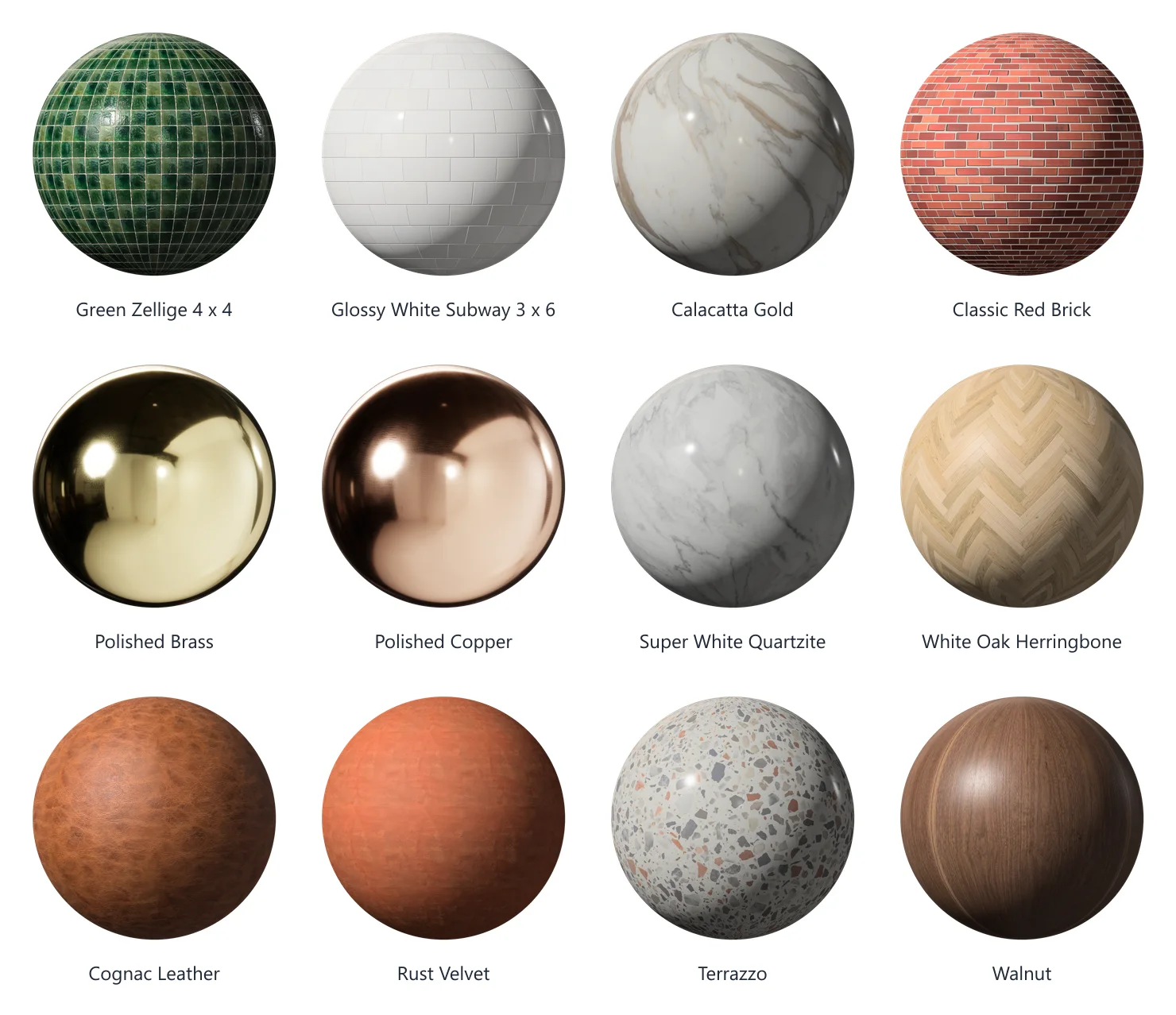
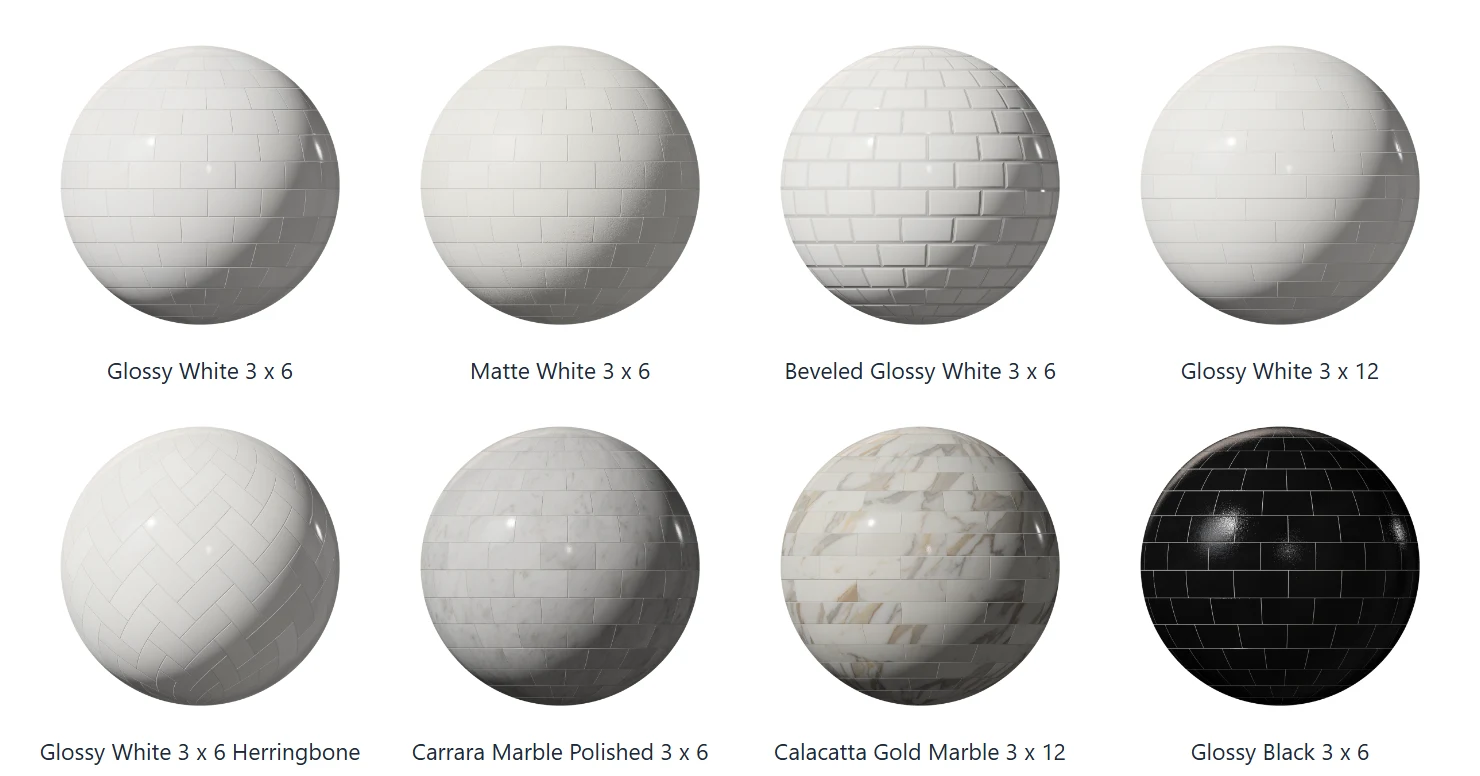
Every preview in the library is a ball rendered from those exact maps, under the same studio light. What you see on the card is what the material really does.
SketchUp added PBR materials in SketchUp 2025, and these use them. If you haven't spent time with the new material panel yet, I walked through it in Where Did My Materials Go in SketchUp 2025?
Real-World Size, Right Out of the Box
This is the part I'm most proud of, and the part that saves you the most time.
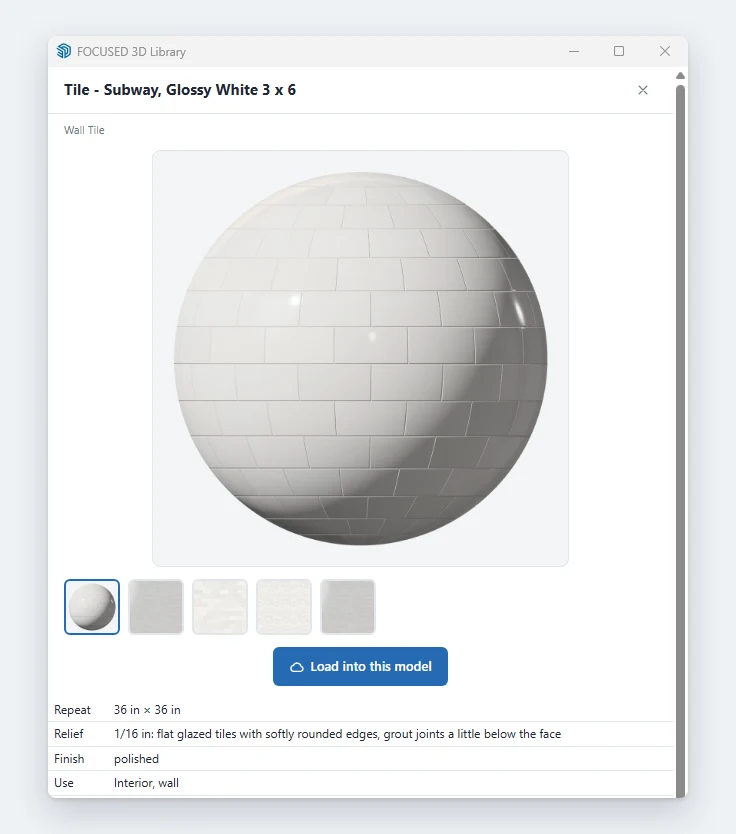
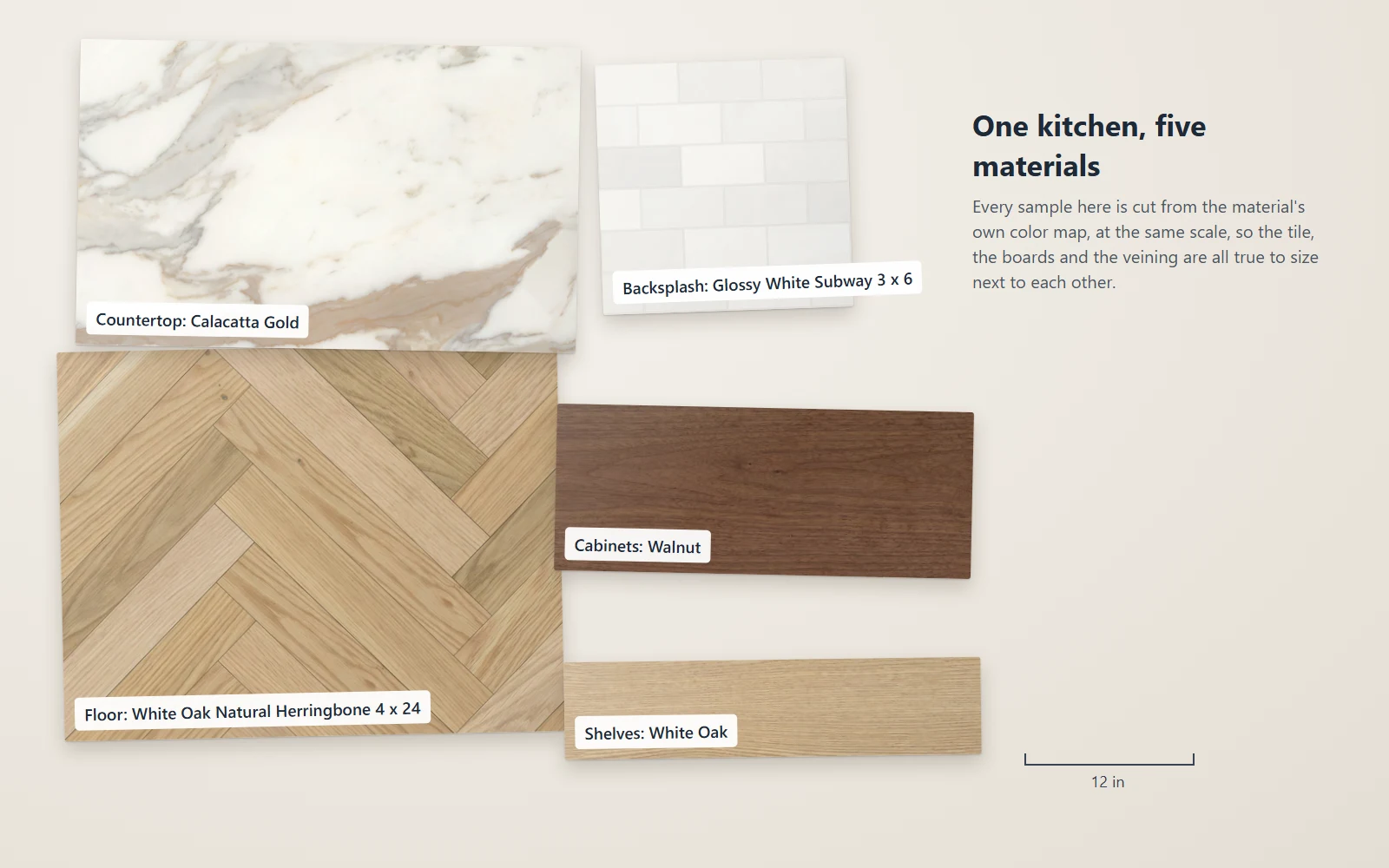
Every material in the library was built at its real size. A 4 x 24 herringbone floor has 4 x 24 inch boards. A 7 1/2 inch plank is 7 1/2 inches wide. A 3 x 6 subway tile is 3 x 6 with real grout joints between the tiles. When it lands on a face, it lands at that size and lined up from the start.
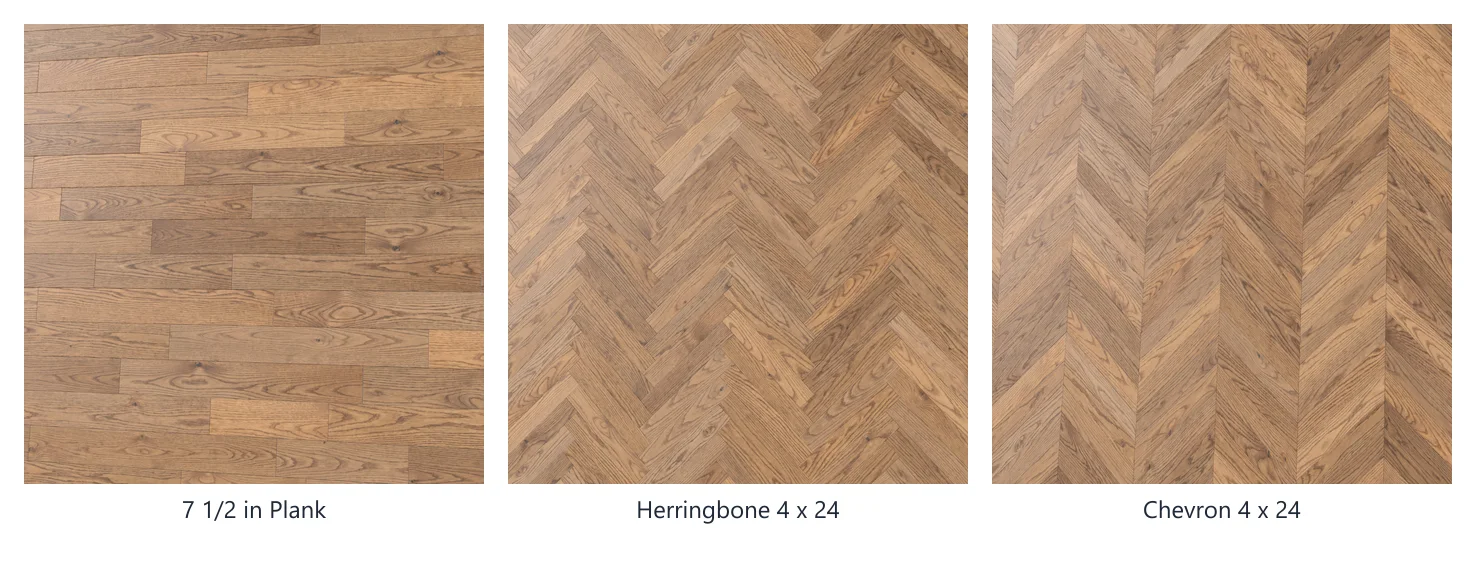
Have you ever had to explain to a client why the tile in your rendering looks twice as big as the sample in their hand? That conversation is over. Click any card and the detail panel tells you the material's real size, finish and relief, with a picture of it installed, before you ever paint it on.
What's in the First 279
I started with the materials designers reach for on almost every project: the kitchen, the bath and the outside of the house.

- Tile: wall and floor tile, including zellige in a dozen colors, glossy and matte white subway, Carrara marble subway, and the dark green and navy glazes that are everywhere right now.
- Countertops: granite, marble, quartz and quartzite in one folder, including Calacatta Gold, Carrara honed, soapstone and Taj Mahal.
- Metal: brass, bronze, copper, gold, chrome, stainless and blackened steel, from polished to brushed to antique.
- Wood and flooring: oak, walnut and more, plus wood floors in plank, herringbone and chevron.
- Exterior: brick, pavers, roofing, siding and decking, stucco, concrete, pool and lawn.
Some materials live in more than one folder, because that's how you look for them. Calacatta Gold is a natural stone, so it's in Natural Stone, and it's also in Countertop, where you'll actually go looking for it.
How to Paint With Them
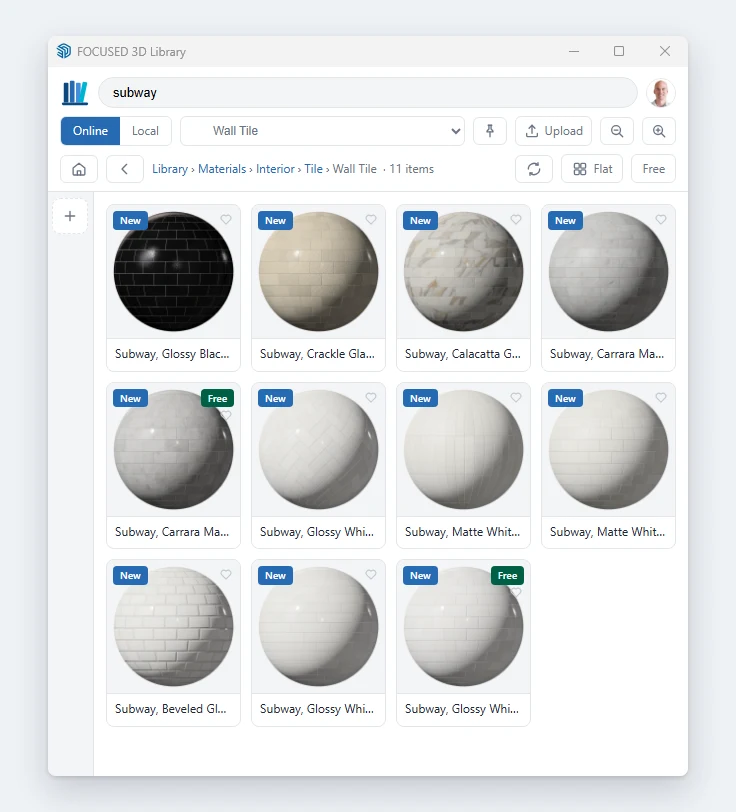
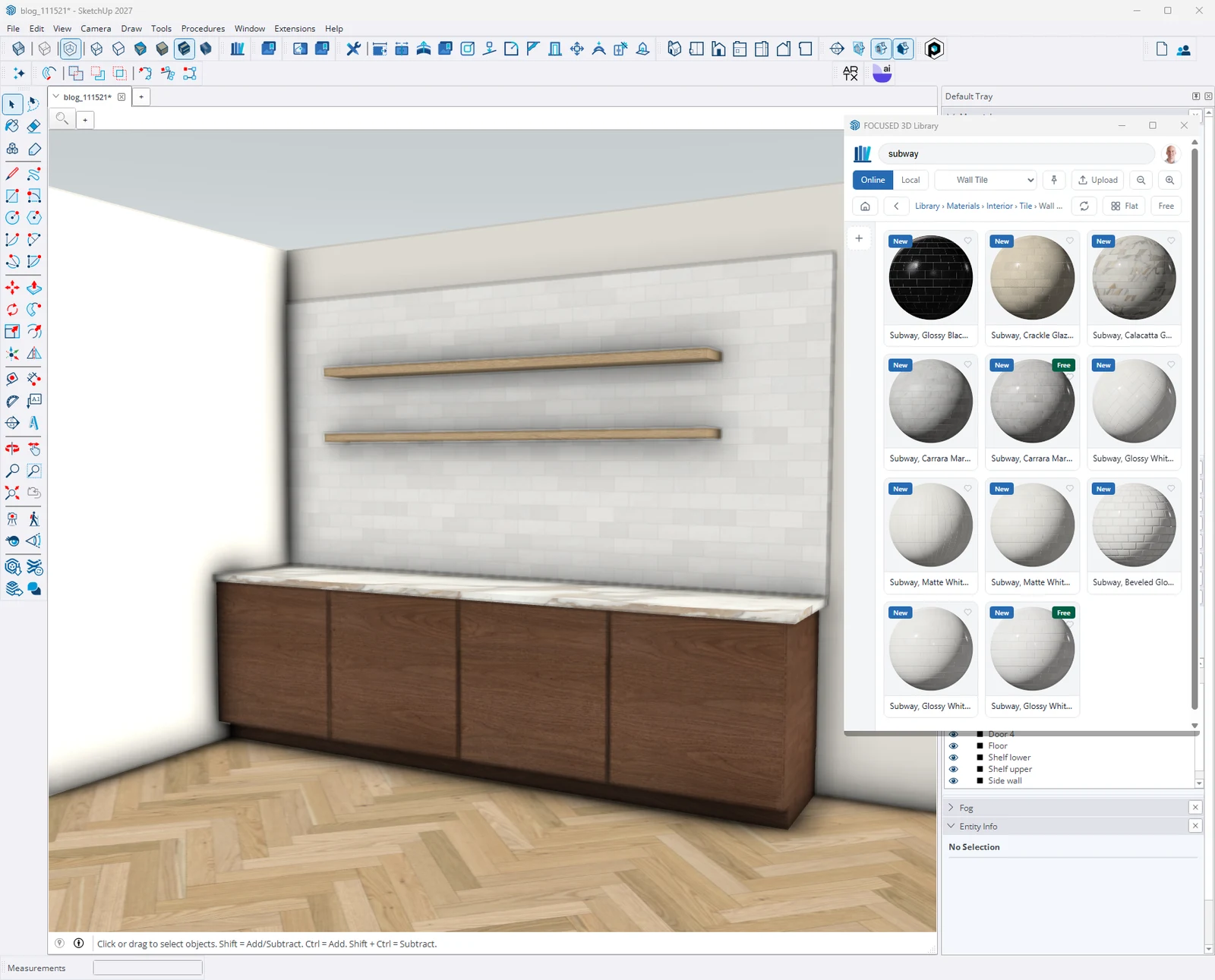
If you already use the FOCUSED 3D Library extension for components, you already know how this works. Materials sit right next to the objects in the Online Library.

- Open the FOCUSED 3D Library panel and switch to Online.
- Open the Materials folder and browse by Interior or Exterior, or just search for "zellige" or "herringbone".
- Select the faces, groups or components you want to paint.
- Click the material. It downloads and paints your selection at real size.
Nothing selected? Click a material anyway and SketchUp hands you the Paint Bucket already loaded with it, so you can paint face by face.
How to Get Them
Materials need the latest version of the extension, version 1.1.0. On an older version, the Materials folder simply won't show up. Download the latest version from the FOCUSED 3D Library Extension page and install it the same way you installed the first one.
Then it depends on your account:
- Free FOCUSED account: 28 of the materials are tagged Free, and they're yours to use.
- FOCUSED 3D Library member: you have all 279 right now, every new material as we add it, and over 4,500 premade 3D objects.
Not a member yet? You can join the FOCUSED 3D Library and get every material along with the full object library.
Frequently Asked Questions
What are PBR materials in SketchUp?
PBR (physically based rendering) materials carry more than a color image. They add roughness, normal, ambient occlusion and metallic maps that describe how the surface reacts to light, so gloss, relief and reflections look real. SketchUp added PBR materials in SketchUp 2025.
How many materials are in the FOCUSED 3D Library?
The first set has 279 materials, 217 for interiors and 62 for exteriors. Hundreds more are being added over the next few weeks.
Are the materials free?
28 of them are tagged Free and work with a free FOCUSED account. A FOCUSED 3D Library membership unlocks all 279, every new material as it's added, and over 4,500 premade 3D objects.
Why don't I see the Materials folder?
Materials need version 1.1.0 of the FOCUSED 3D Library extension. Download the latest version from the extension page, install it, and the Materials folder appears in the Online Library.
Do the materials come in at the right scale?
Yes. Every material was built at its real-world size, so a 3 x 6 subway tile paints on as 3 x 6 and a 7 1/2 inch plank is 7 1/2 inches wide. Each card's detail panel shows the real size before you use it.
This first set of 279 is just the start, and hundreds more are already on the way. Update the extension, open the Materials folder, and paint your next kitchen with tile and stone that look like the real thing, at the size they really are.
Tags