FOCUSED AI Rendering
Finally - Create Renders Without Rendering Engines!
In this course, you’ll learn how to use a structured AI workflow to transform simple model exports into photorealistic images and videos – without relying on traditional rendering engines like V-Ray, Enscape, or D5.
You’ll follow my proprietary FOCUSED AI Rendering Framework™ to generate high-quality visuals quickly and consistently, create multiple design variations, reference real materials and products, and produce client-ready images and short videos in minutes. This workflow allows you to communicate your designs more effectively, explore ideas faster, and create compelling visuals for presentations, approvals, and marketing.
SINCE THE BEGINNING...
Rendering Has Always Been the Slowest Part of the Design Process
If you’ve ever used a traditional rendering engine, you know the process.
You spend hours setting up:
Materials + Textures
Lighting
Cameras
Render Settings
Then you hit render…
…and wait.
Sometimes minutes.
Sometimes hours.
And if something doesn’t look right, you tweak settings and start again.
Rendering is powerful, but it’s also one of the most time-consuming parts of the design workflow.
AI Rendering Has Finally Reached a Tipping Point
For the past few years, AI image generation has been interesting, but not very practical for real design work.
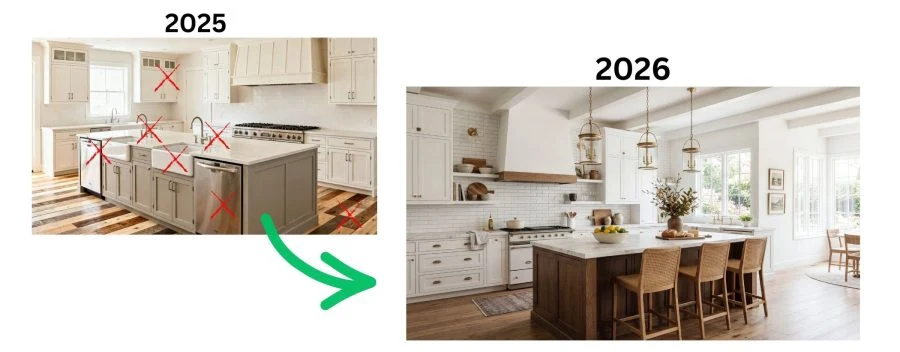
The images looked cool, but they weren’t reliable enough for professional use.
That has changed.
New AI rendering tools are now capable of producing high-quality photorealistic visuals in minutes.
But there’s still a problem.
Most designers approach AI rendering randomly.
They upload an image, type a prompt, and hope the result looks good.
That leads to inconsistent results and a lot of frustration.
What’s missing is a structured workflow.
Introducing the FOCUSED AI Rendering Framework™
After extensive testing and experimentation, I developed a system called the FOCUSED AI Rendering Framework™.
This framework turns AI rendering into a repeatable, professional workflow.
Instead of guessing with prompts, you follow a clear process that produces consistent results.
The framework includes:
- The FOCUSED Export Formula™
- The FOCUSED AI Prompt Block™
- The FOCUSED Node Workflow™
Together, these components allow you to reliably transform simple model exports into photorealistic renders and videos in minutes.
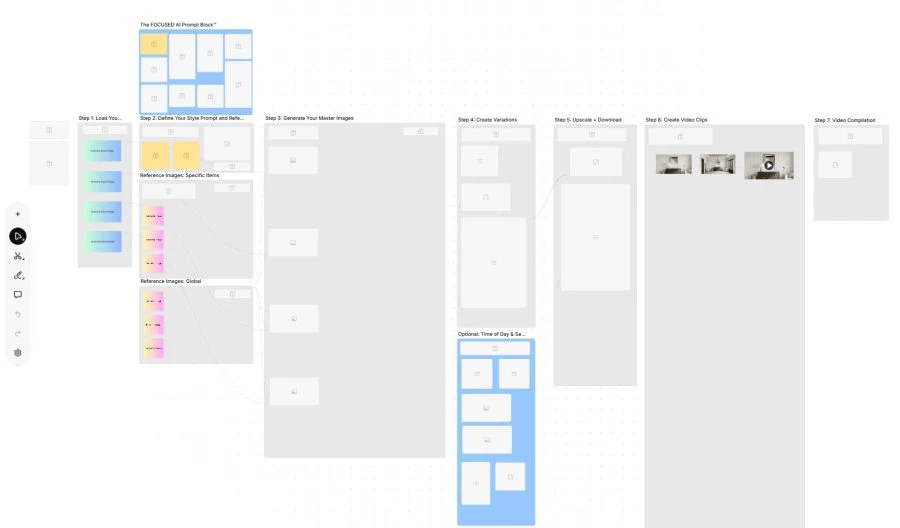
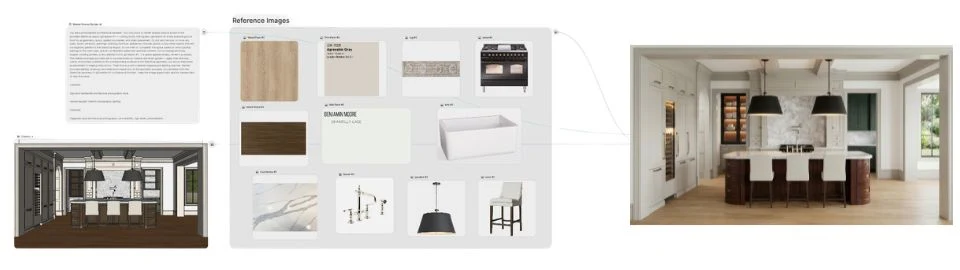
The node-based template (above) that I provide inside the course is the secret-sauce that gives you control over AI rendering. It’s a seven step process where you load your SketchUp exports in Step 1, and by the time you reach Step 7, you have dozens of photorealistic renders and a compilation video of your space.
The Three AI Rendering Workflows
Designers are now using AI in three primary ways.
Workflow 1 - Concept Visualization
This is where AI first exploded in the design world.
Tools like Midjourney allowed designers to generate design ideas instantly from prompts.
This workflow is great for:
- exploring styles
- brainstorming ideas
- creating mood boards
- early design inspiration
Powerful, yes. But these images are not connected to your actual model.
Workflow 2 - Render Enhancement
The second workflow uses AI to improve existing renders.
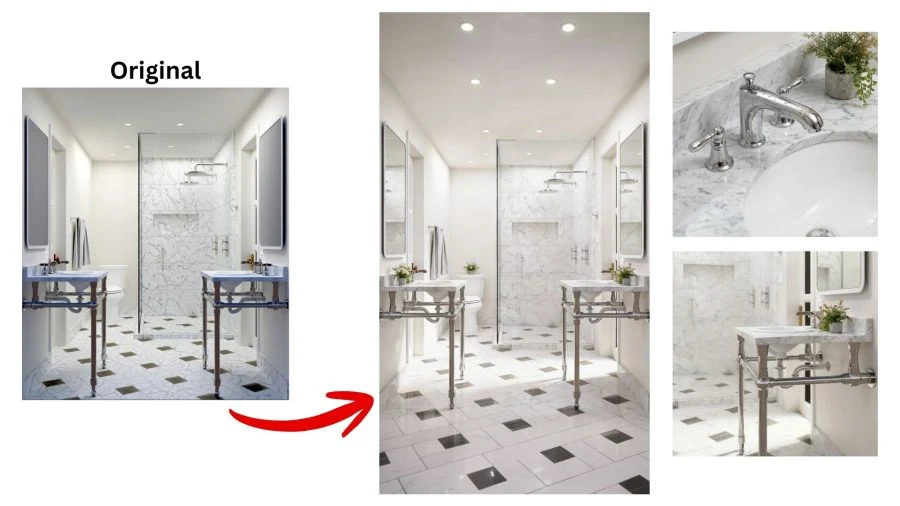
You can take a basic render and dramatically improve:
- lighting
- textures
- materials
- overall realism
This is useful for upgrading older renders or improving marketing visuals.
🔥 Workflow 3 - AI Rendering
This is where things get really powerful.
Instead of using a traditional rendering engine, you export an image from your modeling software and use AI to turn it into a photorealistic render.

The process looks like this:
- Model
- Clean export
- AI rendering
- Photorealistic images
- Videos
No complicated render settings.
No long render times.
Just fast, high-quality visuals.
More Control Than Previous AI Tools
Earlier AI image generators were difficult to control.
This workflow allows you to guide the AI using real design references, including:
- real products
- cabinetry styles
- materials and finishes
- lighting fixtures
- furniture and décor
This gives you far more control over the final result.
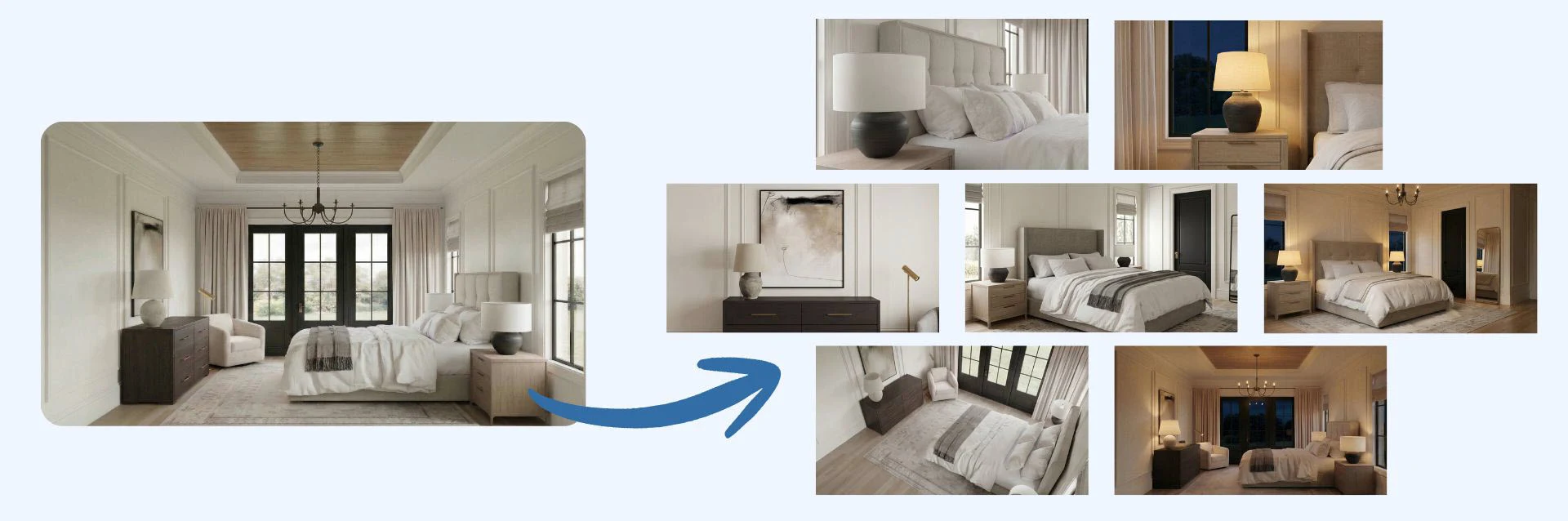
You can also generate dozens of variations in minutes, including:
- different camera angles
- different times of day
- alternate materials
- multiple design styles
You can even create short videos from these renders, making it easy to produce engaging presentations and social media content.
This video was generated using AI in Steps 6 and 7 of my framework.
The AI Renders You Will Create
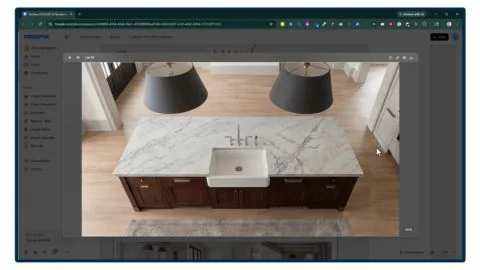
Using the template I give you in this course, you will learn how to create these AI renders that take minutes, not hours to generate.
Who Is This Course For?
Interior Designers
Kitchen and Bath Designers
Architects
Architectural Designers
Residential Designers
Landscape Designers
Landscape Architects
Custom Cabinetry Designers
Furniture Designers
Home Builders
Remodelers
Real Estate Developers
Real Estate Marketing
Staging Professionals
Set Designers
Course
Breakdown
TAKE A PEEK AT THE
Course Structure
Inside this course, you’ll learn the complete workflow for producing professional AI renders.
Module 1 - Understanding AI Rendering
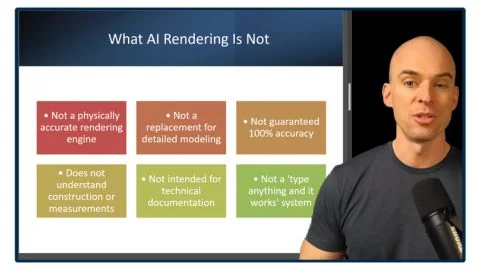
- What AI Rendering Is - And What It Is Not
- The FOCUSED AI Rendering Framework™
Module 1 - Understanding AI Rendering
- What AI Rendering Is - And What It Is Not [11:31]
- The FOCUSED AI Rendering Framework™ [4:56]
Module 2 - Prepping Your Model for AI
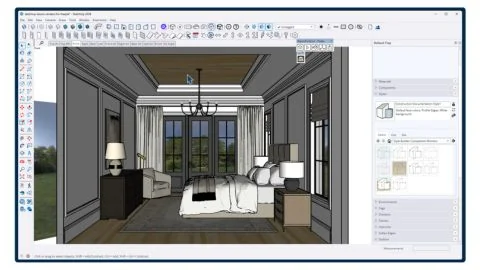
- SketchUp Styles That Produce the Best AI Results
- The FOCUSED Export Formula™
Module 2 - Prepping Your Model for AI
- SketchUp Styles That Produce the Best AI Results [6:12]
- The FOCUSED Export Formula™ [5:42]
Module 3 - Core AI Rendering Tools
- Creating Your Account
- Basic Tools: Image Generator
- Basic Tools: Image Editor
- Basic Tools: Image Upscaler
- Basic Tools: Variations
- Basic Tools: AI Assistant
- Basic Tools: Video Generator
- Basic Tools: Video Upscaler
Module 3 - Core AI Rendering Tools
- Creating Your Account [3:13]
- Basic Tools: Image Generator [10:53]
- Basic Tools: Image Editor [13:42]
- Basic Tools: Image Upscaler [4:39]
- Basic Tools: Variations [4:03]
- Basic Tools: AI Assistant [4:13]
- Basic Tools: Video Generator [4:29]
- Basic Tools: Video Upscaler [3:55]
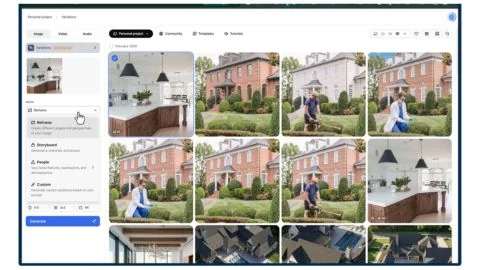
Module 4 - The FOCUSED Node Workflow™
- Spaces: Introduction
- Spaces: FOCUSED Node Workflow™
- Spaces: List
- Spaces: Video Combiner
- Using Templates
- Creating Your Own Templates
Module 4 - The FOCUSED Node Workflow™
- Spaces: Introduction [5:57]
- Spaces: FOCUSED Node Workflow™ [31:08]
- Spaces: List [8:07]
- Spaces: Video Combiner [7:12]
- Using Templates [13:10]
- Creating Your Own Templates [12:55]
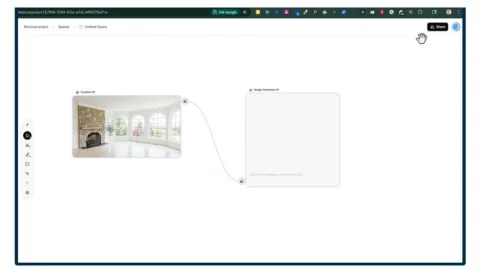
Module 4.1 - AI Rendering Workflows
- AI Workflow 1: Conceptual Renders
- AI Workflow 2: Enhancing Renders
- AI Workflow 3: AI Rendering
Module 4.1 - AI Rendering Workflows
- AI Workflow 1: Conceptual Renders [7:50]
- AI Workflow 2: Enhancing Renders [17:32]
- AI Workflow 3: AI Rendering [4:28]
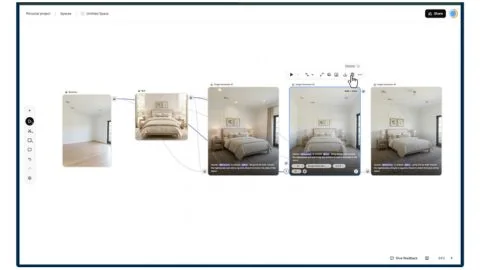
Module 5 - Demo: Primary Bedroom
- Step 1 - Load 3D Images
- Step 2 - Prompt & Reference Images
- Step 3 - Generate Master Images
- Step 4 - Create Variations
- Step 5 - Upscale & Download
- Step 6 - Create Video Clips
- Step 7 - Video Compilation
Module 5 - Demo: Primary Bedroom
- Step 1 - Load 3D Images [14:09]
- Step 2 - Prompt & Reference Images [16:42]
- Step 3 - Generate Master Images [23:30]
- Step 4 - Create Variations [18:05]
- Step 5 - Upscale & Download [3:53]
- Step 6 - Create Video Clips [21:17]
- Step 7 - Video Compilation [9:00]
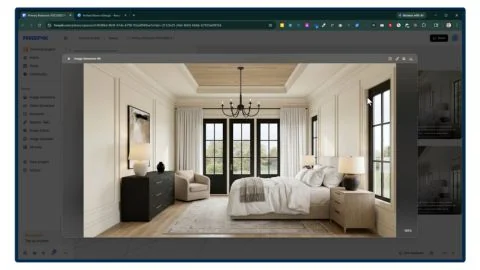
Module 6 - Demo: Kitchen
- Step 1 - Load 3D Images
- Step 2 - Prompt & Reference Images
- Step 3 - Generate Master Images
- Step 4 - Create Variations
- Step 5 - Upscale & Download
- Step 6 - Create Video Clips
- Step 7 - Video Compilation
Module 6 - Demo: Kitchen
- Step 1 - Load 3D Images [12:36]
- Step 2 - Prompt & Reference Images [19:47]
- Step 3 - Generate Master Images [24:50]
- Step 4 - Create Variations [18:36]
- Step 5 - Upscale & Download [2:55]
- Step 6 - Create Video Clips [21:30]
- Step 7 - Video Compilation [10:46]
LEARN MY CUTTING EDGE WORKFLOW FOR
🔥 AI Rendering
Using a simple template that I provide in the course, you can create photorealistic images and videos from your SketchUp model in minutes. Yes…you read that correct…minutes!
My AI Template Makes it Easy
The template is organized into various stages. You upload basic SketchUp line drawings, specify your style (or load inspo images), and it will create a series of photorealistic images with various angles, lighting, and perspectives. And don’t forget about videos – it uses the latest AI models to turn your renders into videos!
My AI Template Makes it Easy
The template is organized into various stages. You upload basic SketchUp line drawings, specify your style (or load inspo images), and it will create a series of photorealistic images with various angles, lighting, and perspectives.
And don’t forget about videos – it uses the latest AI models to turn your renders into videos!
Sketch to Render in Under 2 Minutes
This template alone is worth the cost of the course!
Sketch to Render in Under 2 Minutes
This template alone is worth the cost of the course!
YOU'LL ALSO GET
2 FREE Bonus Items

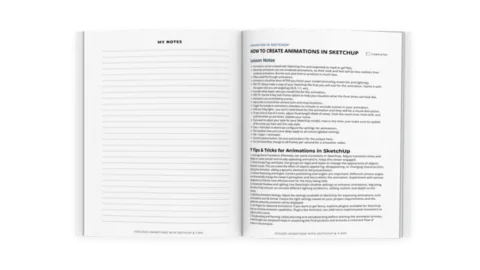
Printable Course Guide with Lesson Notes from Every Module (pdf)

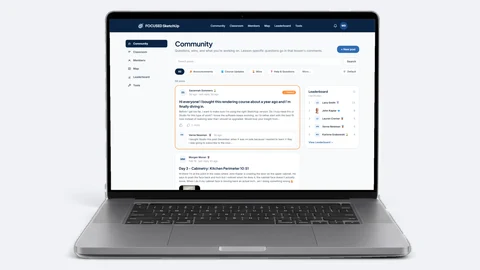
Private Facebook Group Access for support and help from students (and me)
OPTIONAL UPGRADE AT CHECKOUT
For An Extra $74, Get 5 More
AI Tempates
For An Extra $74, Get 5 More AI Templates
Check the add-to-order box at checkout to snag these powerful tempaltes!
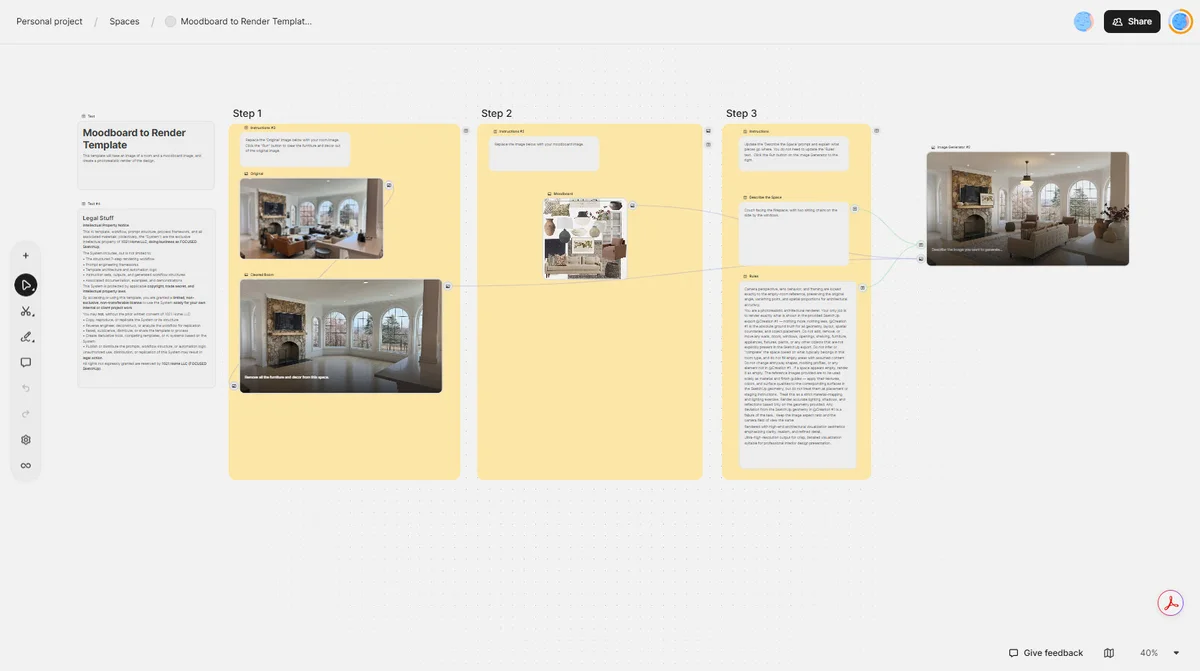
Moodboard to Render Template™
See your design in a space using AI
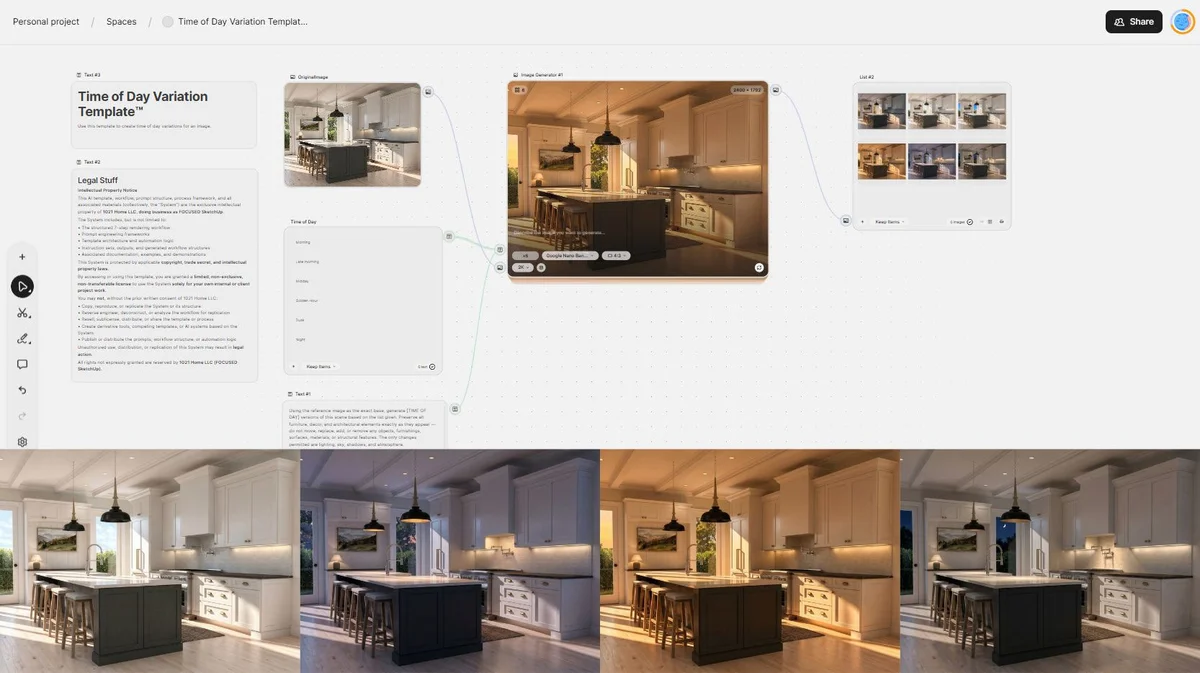
Time of Day Variation Template™
Load one image and generate six different time of day versions
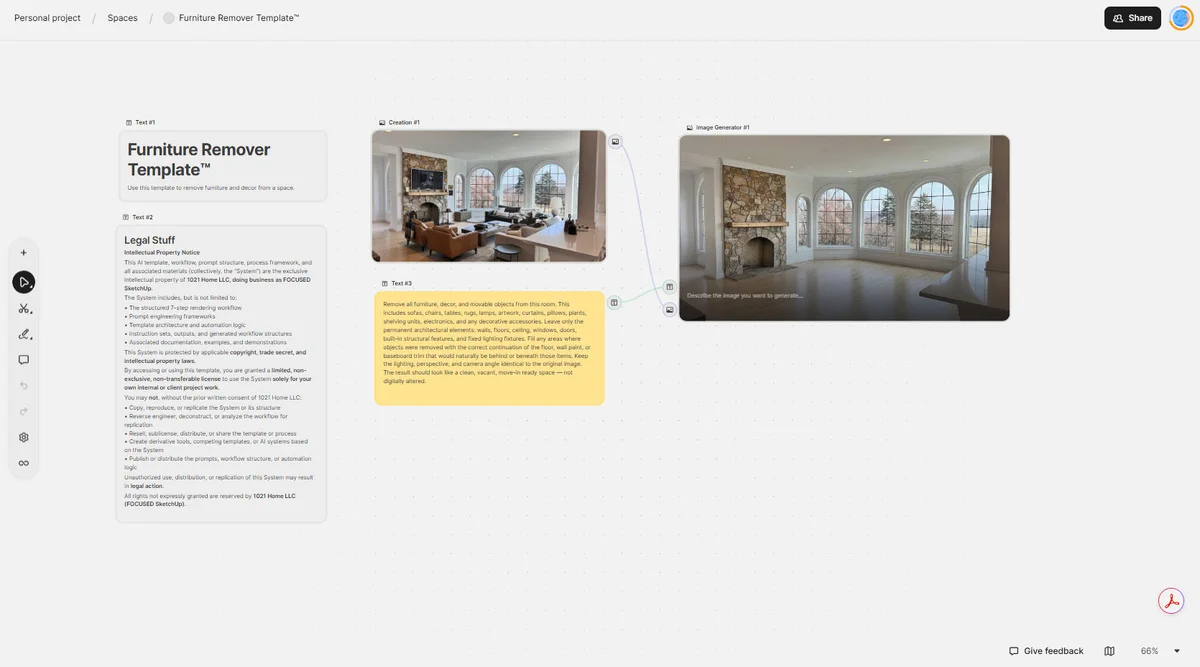
Furniture Remover Template™
Load one image and clear the room of furniture and decor
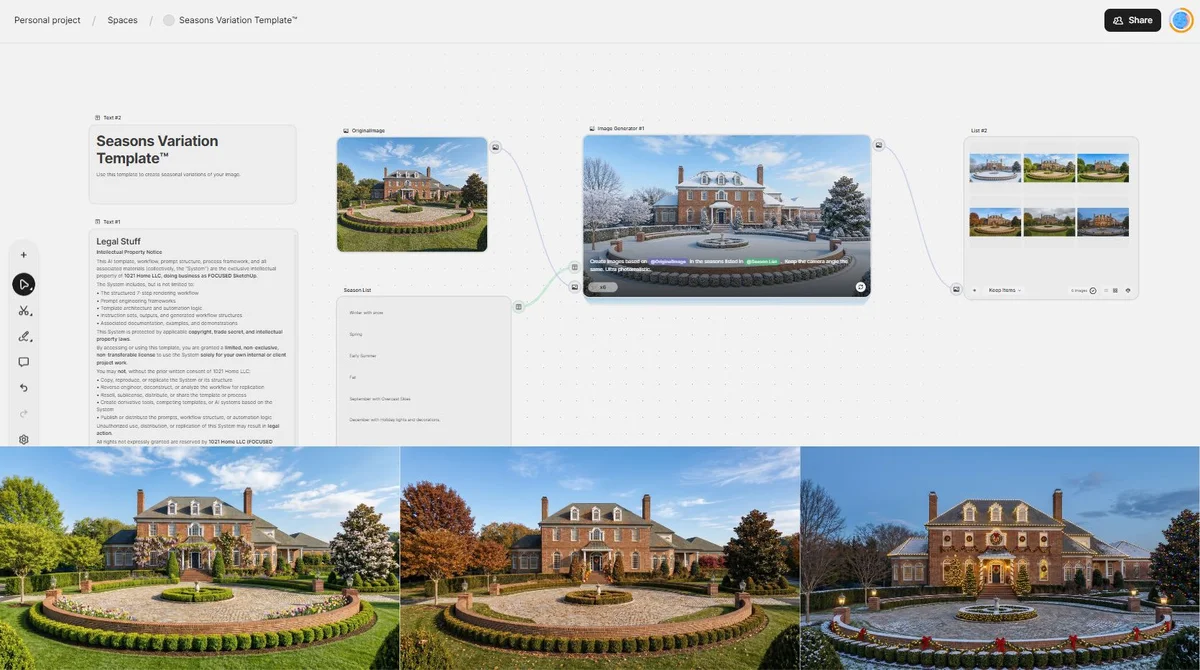
Seasons Variation Template™
See what your space looks like in 6 different seasonal settings
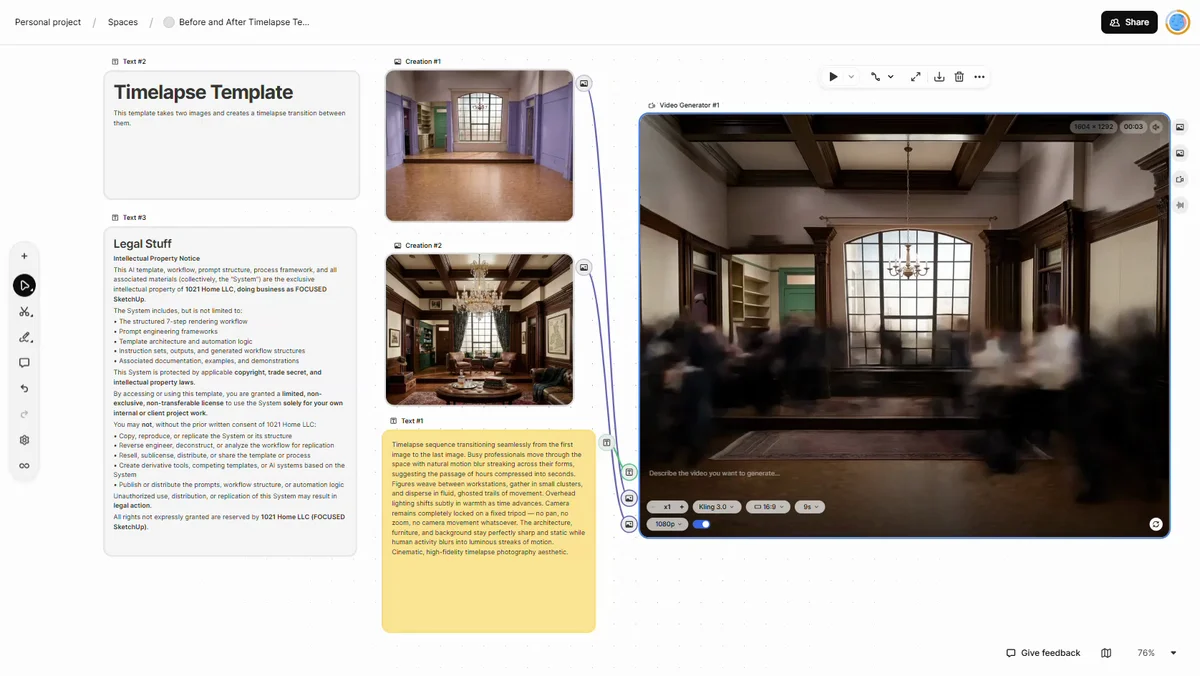
Before and After Timelapse Template™
Using a start image and end image, create a timelapse video
COURSE REVIEWS
Hear What My Students Are Saying
Real Facebook Reviews
NO RISK OFFER
Satisfaction Guarantee
I am so certain you will love this program that I am offering a Risk-Free 14-Day Money Back Guarantee! After 14 days, if you are not satisfied with the course and decide it’s not for you, I will give you a full refund.
All you have to do is contact me within 14 days of purchasing, and I will give you 100% of your money back.

FAQ'S AND ANSWERS
FAQ - Course Content and Structure
This course teaches the FOCUSED AI Rendering Framework™, a structured workflow for turning simple model exports into photorealistic images and videos using AI. You’ll learn when and how to use AI rendering effectively, how to prepare clean exports from your modeling software, and how to guide the AI using the FOCUSED AI Prompt Block™ to produce consistent results. The course also covers generating variations, referencing real materials and products, upscaling images for high-quality output, creating short videos from your renders, and applying this workflow to real design projects such as kitchens, bedrooms, cabinetry, and exterior spaces. The goal is to give you a fast, repeatable system for creating professional visuals without relying on traditional rendering engines.
After completing this course, you’ll be able to turn simple model exports into photorealistic images and short videos using a structured AI workflow, without relying on traditional rendering engines like V-Ray, Enscape, or D5. You’ll know how to prepare your models for AI, guide the rendering process using the FOCUSED AI Prompt Block™, reference real products and materials, and quickly generate multiple variations such as different camera angles, lighting conditions, and design styles. By the end of the course, you’ll have a fast, repeatable system for producing client-ready visuals that can be used for presentations, approvals, marketing, and social media.
This course is designed to be accessible to beginners while still providing powerful workflows for more experienced designers. You don’t need prior experience with AI rendering or traditional rendering engines to follow along. The course walks you step-by-step through the FOCUSED AI Rendering Framework™, showing you how to prepare your exports, guide the AI using structured prompts, and generate photorealistic images and videos. At the same time, designers who already use tools like V-Ray, Enscape, or D5 will learn how AI can dramatically speed up their visualization workflow and create new variations much faster than traditional rendering methods.
There are no strict prerequisites for this course. However, it’s helpful if you already have experience using a 3D modeling program such as SketchUp or another design tool that allows you to export images of your model. The course focuses on the AI rendering workflow, showing you how to take those exports and transform them into photorealistic images and videos using the FOCUSED AI Rendering Framework™. If you’re comfortable creating basic models or design visuals, you’ll be able to follow along and start applying the workflow right away.
The course syllabus is shown above and highlights each lesson in the program. Once you enroll in the course, the Course Guide is also available to download and print, and it has ample space for you to add your own notes as you go through the lessons.
Yes. Throughout the course you’ll see the complete AI rendering workflow applied to real design projects, so you can follow along and practice each step yourself. The demonstrations include spaces such as a kitchen and primary bedroom. As you move through the lessons, you’ll generate your own renders, create variations, experiment with materials and lighting, and produce short videos from your images. These exercises are designed to help you apply the FOCUSED AI Rendering Framework™ in real-world situations, so you leave the course with a repeatable workflow you can use on your own projects.
FAQ - Duration and Timing
The course includes 6 modules, 35 lessons, and about 6 hours of instruction total.
Yes. You can go as fast or as slow as you want. There are no deadlines and no required schedule.
You get lifetime access. That means you can revisit lessons anytime as your projects and skills evolve.
FAQ - Delivery and Format
All lessons are delivered through on-demand, pre-recorded video training. You can watch anytime, from anywhere.
Yes. The course includes several downloadable resources to help you implement the workflow quickly and consistently. You’ll receive the FOCUSED AI Rendering Framework Template, which includes pre-structured prompts and objects designed to guide the AI and produce more predictable results. You’ll also get supporting resources that reinforce the FOCUSED AI Prompt Block™ and the overall workflow, making it easier to generate consistent renders, create variations, and streamline the entire AI rendering process.
Yes! When you enroll in the course, you will get access to the private Facebook group just for students. This is the preferred way to get support during (and after) the course. You will retain your access to this group even after the course ends. You can also email our support team directly.
The course does not include the AI tools themselves, but it teaches you exactly which tools to use and how to use them effectively as part of the FOCUSED AI Rendering Framework™. These AI platforms require a small monthly subscription, and I walk you through the setup process and recommended options inside the course. Once connected, you’ll be able to generate photorealistic images and videos from your model exports using the workflow taught in the lessons.
FAQ - Technical Requirements
No special hardware is required. One of the advantages of AI rendering is that the processing happens in the cloud, so you don’t need a powerful graphics card or high-end rendering computer like you would for traditional rendering engines. You will need access to a design or modeling program that can export images of your model, along with an AI platform that is used in the workflow. These tools are easy to set up, and I walk through the recommended options and setup steps inside the course.
Yes, an iPad can be used for many parts of the workflow, especially when working with the AI platform since most of the processing happens in the cloud. However, you’ll still need access to a modeling program that can export images of your design, which is typically done on a desktop or laptop computer. Many students use their computer to create and export their model images, and then use an iPad or tablet to run the AI tools and generate renders.
Yes. The course is compatible with both Mac and Windows. Since the AI rendering tools used in this workflow run in the cloud through a web browser, the process works the same on either operating system. As long as you can export images from your design or modeling software and access the AI platform through your browser, you’ll be able to follow the course and use the FOCUSED AI Rendering Framework™ without any operating system limitations.
No. The course focuses on AI-assisted rendering, so you don’t need a high-end rendering workstation.
FAQ - Payment and Pricing
The course is $497 USD, or you can choose a payment plan of three monthly payments of $179.
Yes, at checkout, you can choose a payment plan of three monthly payments of $179.
Within the first 14-days of purchasing, if you are not 100% satisfied, simply let me know and I will give you a full refund! This means that anytime within 14 days after purchasing, you can request a full refund. This is a rare thing in virtual learning, but I'm happy to offer this so you have peace of mind when purchasing. Any request past 14 days will not be valid.
Yes, there is a small additional cost for the AI platform used in the workflow. Plans start at $9 USD per month (subject to change). The AI tools operate on a monthly subscription, which allows you to generate images, variations, and videos using the system taught in the course. I walk through the recommended platform, pricing options, and setup process inside the lessons so you can choose the plan that best fits your needs. Aside from that subscription, there are no other required materials or software to complete the course.
Yes. As workflows and tools evolve, updates are added to the course and included with your purchase.
SO, TO SUMMARIZE...
Here is Everything You Get
Start Creating Photorealistic Renders With AI
Rendering no longer needs to be the slowest part of your workflow.
With the FOCUSED AI Rendering Framework™, you can produce high-quality visuals in minutes.
Design → Export → AI → Photorealistic Render