New Course! FOCUSED D5 Render
On October 9th, I’m launching a brand new course—FOCUSED D5 Render—created specifically for interior designers, kitchen pros, and visual creatives who want to master the art of real-time rendering using D5 Render. This course follows the same structured, self-paced format as all of my programs and is designed to help you produce stunning, photorealistic visuals—fast.
Built using the FOCUSED Method™, this course includes step-by-step video instruction, real-world application, downloadable resources, and support to help you stay on track. Whether you’re creating interiors, exteriors, or full walkthroughs, FOCUSED D5 Render gives you the tools and workflow to produce next-level results with ease.
Key Takeaways:
- FOCUSED D5 Render launches on October 9th
- D5 Render is a real-time rendering engine built on Unreal Engine, offering cinematic results without the complexity
- This course is ideal for Windows users with dedicated NVIDIA graphics cards (RTX 3060 or higher recommended)
- Mac users or those without high-end GPUs should stick with V-Ray, which remains fully supported and recommended
- The course includes step-by-step training, downloadable assets, and real-world projects
*Affiliate links may be used throughout this article. Read our Privacy Policy for more information.
Table of Contents
Why D5 Render?
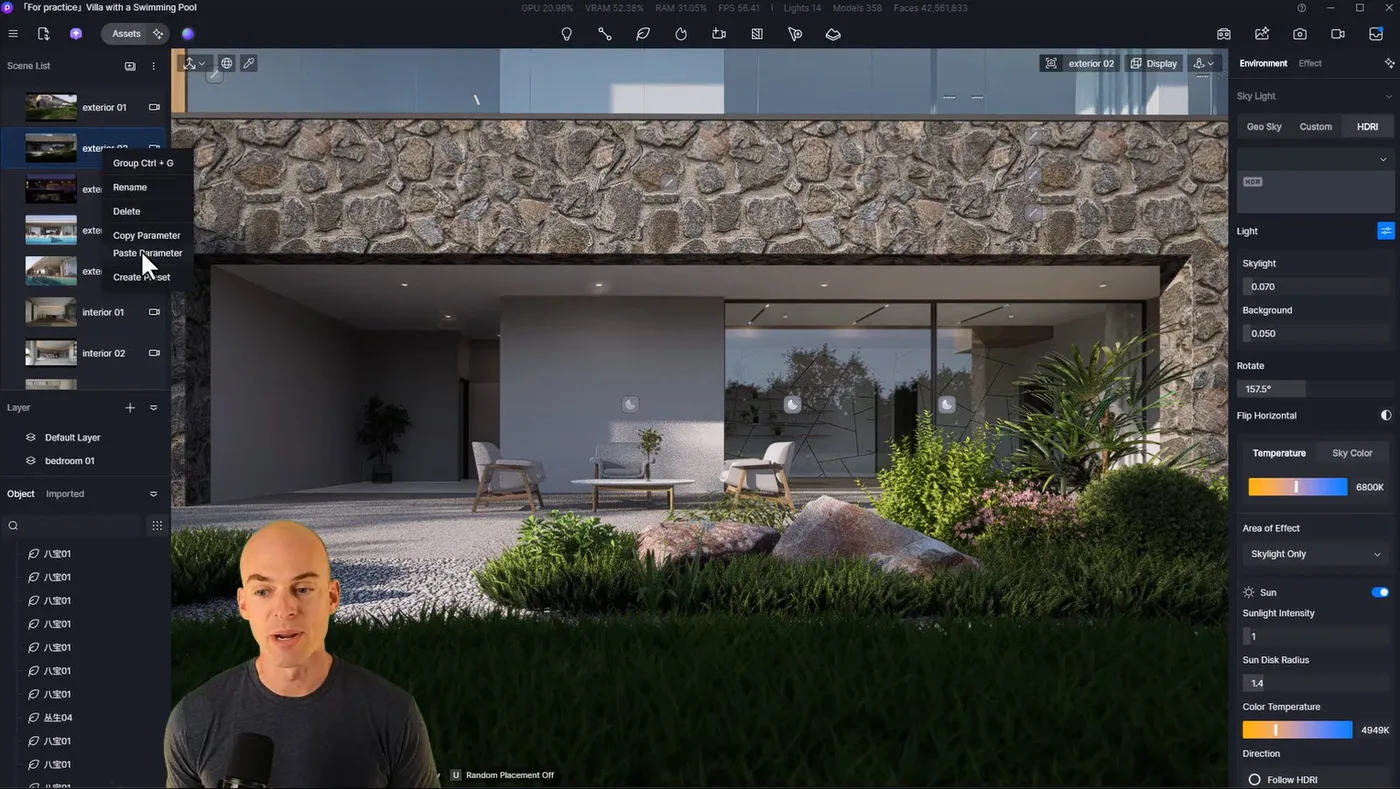
D5 Render is one of the most exciting rendering engines I’ve used in years. It allows designers to work in a live-rendering environment, meaning your model updates and visual adjustments happen in real-time. You can instantly see changes to lighting, materials, and assets without waiting on long render times.
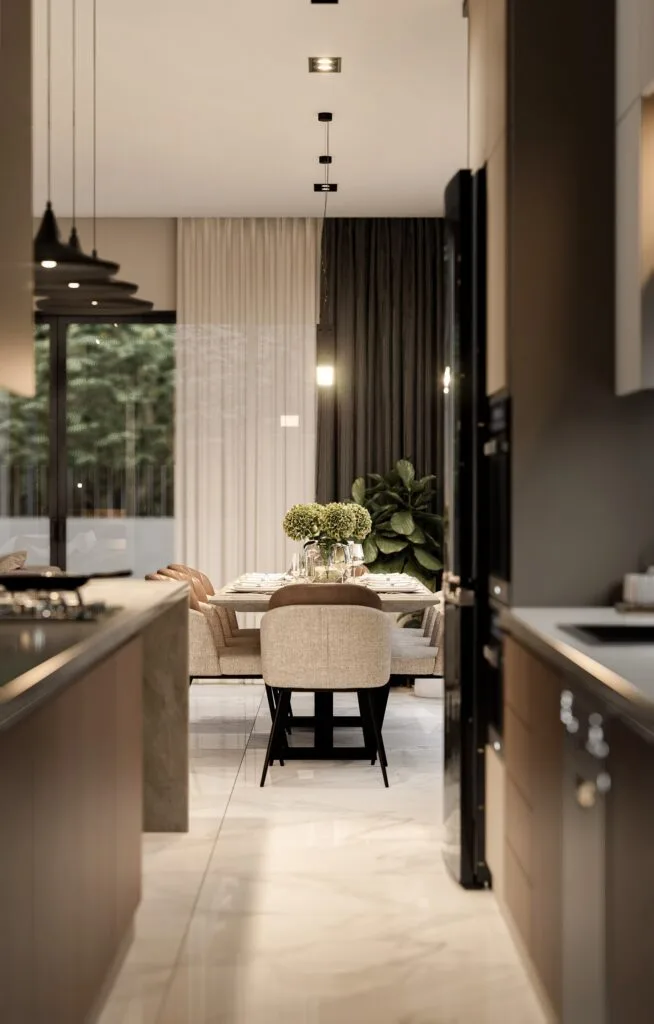
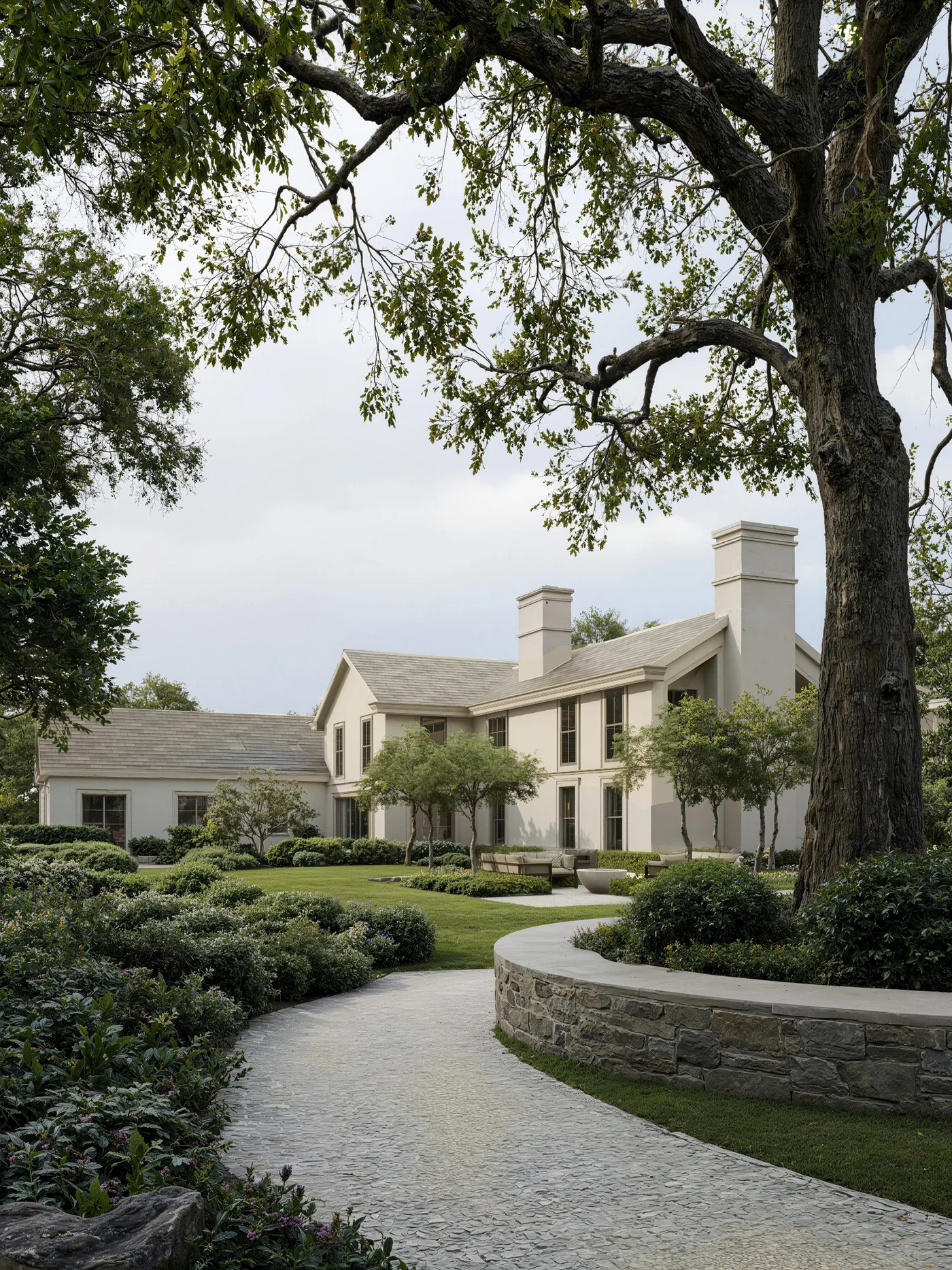
The results speak for themselves: cinematic lighting, animated skies, subtle environmental movement, and a level of realism that was once reserved for time-consuming offline renderers. It’s a game-changer for designers who want to present high-quality visuals without spending hours per image.
Why I Chose D5 Over Other Platforms
Before building this course, I thoroughly tested several of the top rendering platforms available today—including Twinmotion, Chaos Vantage, Enscape, and even Unreal Engine itself.
Each has its strengths, but D5 stood out for one simple reason: it combines the power of Unreal Engine with the simplicity that designers need.
D5 Render is actually built on the Unreal Engine framework, which is known for producing some of the most photorealistic visuals in the industry. But while Unreal Engine is powerful, its steep learning curve and developer-centric workflow make it impractical for most design professionals.
D5 changes that. It delivers “Unreal Engine” quality results without the overwhelming complexity. D5 offers a streamlined, intuitive UI built specifically for architecture and interior design workflows.
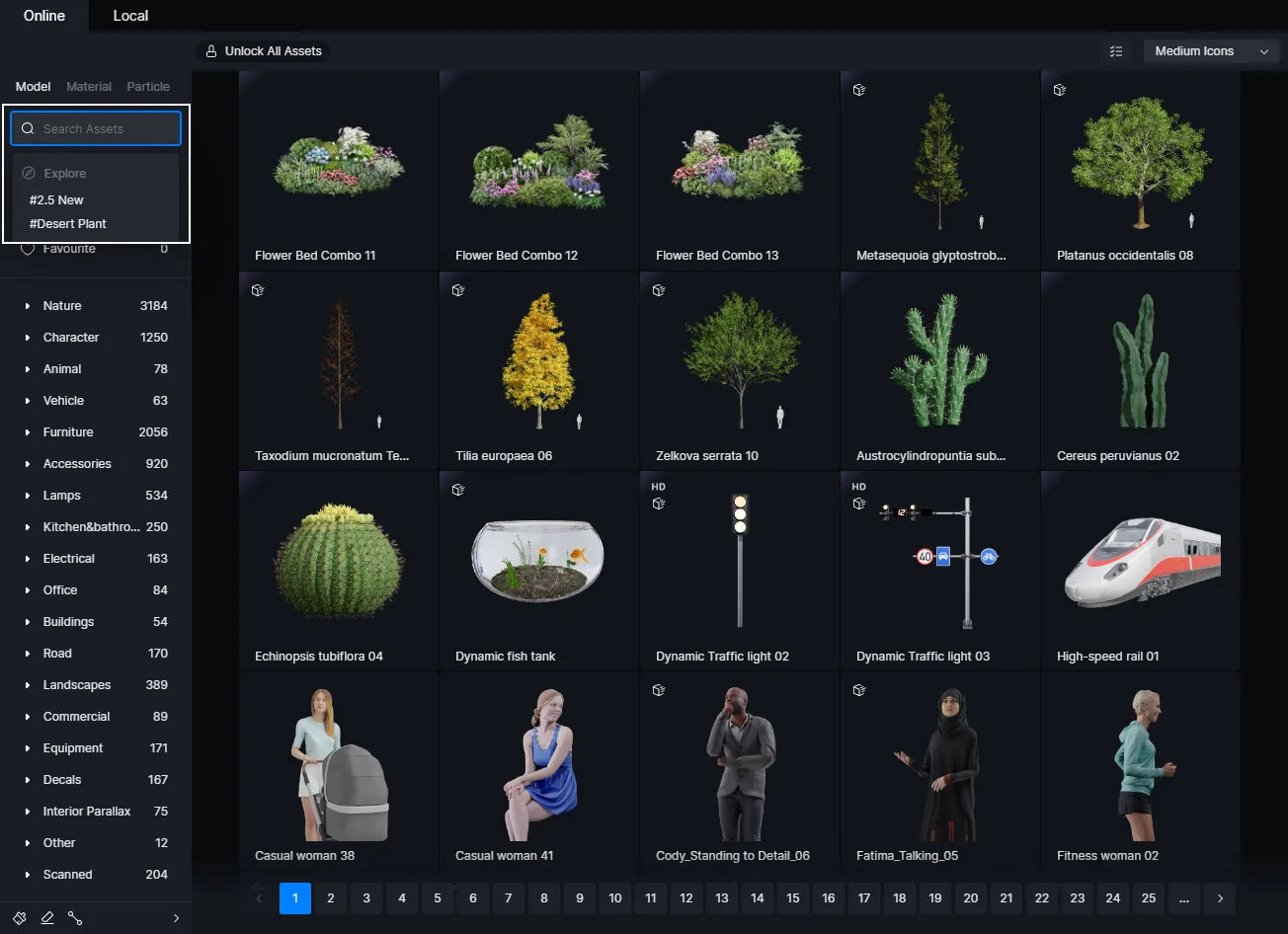
The built-in asset library is another major benefit. D5 includes thousands of pre-made objects, materials, vegetation, lighting, and entourage items—all drag-and-drop ready and optimized for real-time rendering.
And finally, the value is exceptional. D5’s pricing model is very competitive considering what’s included: an advanced rendering engine, real-time animation tools, a massive asset library, and full SketchUp integration—all at a fraction of the cost of traditional rendering pipelines (as low as $30 per month for the Pro Annual License).
Know Before You Switch
Before you jump in, know that there are some serious limitations/requirements to use D5 Render.
System Requirements for D5 Render
While D5 Render is incredibly powerful, it does have some system requirements that every potential student needs to understand.
- D5 Render is Windows-only. There is currently no support for Mac systems.
- A dedicated NVIDIA graphics card is required. Integrated graphics cards or low-end systems will not run D5 effectively.
- I recommend an NVIDIA RTX 3060 or higher for optimal performance.
If you’re using a Mac or a PC without a dedicated GPU, D5 won’t be an option for now. In those cases, I still recommend continuing with V-Ray, which is highly capable and much more hardware-flexible.
What About V-Ray?
Still a Top Choice for Cross-Platform Compatibility
Although this course is focused on D5, I want to be clear: I still love and recommend V-Ray.
My 7-Day SketchUp Bootcamp for Landscaping, Pools & Patios is built around V-Ray, and it remains one of the best rendering engines available, particularly for:
- Mac users
- Designers without high-end graphics cards
- Teams using mixed operating systems
- Projects that require Chaos Cloud rendering
V-Ray is stable, professional, and extremely flexible. It also integrates beautifully with SketchUp and LayOut, and works well with remote workflows and cloud rendering services.
So while D5 may offer real-time rendering, V-Ray remains my go-to recommendation for users who need broader compatibility or cloud-based output.
What You’ll Learn in the FOCUSED D5 Render Course
FOCUSED D5 Render is designed to give you a structured, repeatable workflow that’s easy to follow—even if you’re new to real-time rendering.
You’ll learn how to:
- Prepare and import SketchUp models into D5
- Navigate the D5 interface and organize your scenes
- Apply and customize materials using D5’s asset library
- Add vegetation, lighting, furniture, and atmosphere
- Set up cameras, control sunlight, and animate movement
- Render high-resolution images and export cinematic videos
- Create fly-throughs and walkthrough animations
All lessons are self-paced and available 24/7. The course includes real-world project files, downloadable assets, and support options so you never feel stuck.
How to Purchase
FOCUSED D5 Render launches on October 9th. The best way to stay informed about this course launch is to subscribe to my newsletter.
Final Thoughts
D5 Render is not a replacement for V-Ray—it’s an alternative. A powerful, modern, intuitive alternative built for designers who want real-time control, speed, and cinematic visuals. It’s not for every project, and it’s not for every machine—but if you have the right setup, it can radically transform your rendering workflow.
With the launch of FOCUSED D5 Render, I’m giving you the tools, structure, and support to make that transformation happen.
Whether you stick with V-Ray, make the leap to D5, or use both depending on the project—I’ll continue to support you with expert training that saves time, improves quality, and helps you grow as a design professional.
Frequently Asked Questions
Does D5 Render work on Mac?
No. D5 Render is currently only compatible with Windows. If you’re using a Mac, I recommend continuing with V-Ray, which is fully supported across both Mac and Windows.
What kind of computer do I need to run D5 Render?
You need a Windows PC with a dedicated NVIDIA graphics card (RTX 3060 or higher). Integrated graphics cards or older GPUs won’t be able to run D5 properly.
Do I need to know Unreal Engine to use D5?
Not at all. While D5 is powered by Unreal Engine, its user interface is designed for simplicity. You’ll get the power of Unreal without the complexity.
I already use V-Ray. Should I switch to D5?
Not necessarily. V-Ray is still an excellent renderer—especially if you’re on a Mac, using Chaos Cloud, or don’t have a high-end GPU. D5 is a great addition if you want real-time rendering and meet the hardware requirements.
Is this course included in the All-Access Pass?
If you’re on the “Latest and Greatest” plan inside the All-Access Pass, yes—this course will be added to your account when it launches.
Can I use the same SketchUp models I built for V-Ray?
Absolutely. You can import your existing SketchUp models into D5 and start rendering right away.
What if I don’t like the course?
As with all FOCUSED SketchUp programs, you’re covered by a 14-day money-back guarantee. If it’s not the right fit, I’ll give you a full refund.